Artlist AI Video Generator Prices: Eleven Test Clips, 50 to 1,000 Credits (2026)
Last verified: 2026-11-08
A 5-second clip from the video tool in how Artlist works cost us between 175 and 1,000 credits on our Max Pro account, and the model list only shows a starting price.
What do you get for the same prompt on different models?
A paper boat drifts across a still pond at sunrise, slow push-in, soft ripples spreading from the bow
| Model | List says | We paid | Settings | File |
|---|---|---|---|---|
| MiniMax H3 Max Turbo | - | 175 | 480p, 5 sec | 832 x 480, with audio track |
| Grok Imagine 1.5 Lite | From 50 | 250 | 480p, 5 sec | 848 x 480, with audio track |
| Gemini Omni 1.2 Flash | From 70 | 350 | 360p, 5 sec | 640 x 360, with audio track |
| Seedance 2.5 | From 800 | 1,000 | 480p, 5 sec | 854 x 480, with audio track |
The clip above is MiniMax. The other three:
Grok Imagine 1.5 Lite
Gemini Omni 1.2 Flash
Seedance 2.5
A day later we ran the same sentence on Veo 3.1 Lite at its defaults: 4 seconds, 720p, audio off, for 252 credits. The file came back 1280 x 720 with no audio track at all, the only one of the five without one.
Veo 3.1 Lite
What does each setting add to the price?
Resolution moved the price most:
| Model, 5 seconds | Lowest | Middle | Highest |
|---|---|---|---|
| MiniMax H3 Max Turbo | 480p: 175 | 768p: 250 | 1080p: 500 |
| Grok Imagine 1.5 Lite | 480p: 250 | 720p: 375 | 1080p: 1,250 |
| Gemini Omni 1.2 Flash | 360p: 350 | 1080p: 1,250 | 4K: 2,500 |
| Seedance 2.5 | 480p: 1,000 | 720p: 2,500 | 1080p: 5,000 |
Seedance 2.5 costs five times as much at 1080p as at 480p. MiniMax costs just under three times as much.
Duration scaled in a straight line on the three models we priced at several lengths:
| Model | Shortest | 5 sec | 10 sec | Longest |
|---|---|---|---|---|
| Grok Imagine 1.5 Lite, 480p | 1 sec: 50 | 250 | 15 sec: 750 | |
| MiniMax H3 Max Turbo, 480p | 175 | 350 | 15 sec: 525 | |
| Seedance 2.5, 480p | 1,000 | 2,000 | 30 sec: 6,000 | |
| Gemini Omni 1.2 Flash, 720p | 1,500 |
That explains Grok's "From 50": it's the price of a 1-second clip. The file is 848 x 480 and 1.04 seconds long, with an audio track.
Audio depends on the model:
| Model | Audio off | Audio on |
|---|---|---|
| Kling 3.0, 5 sec | 500 | 750 |
| Veo 3.1 Lite, 4 sec, 720p | 252 | 376 |
| Kling 4.0 Flash, 5 sec, 720p | 500 | 500 |
| Seedance 2.5, 5 sec, 480p | 1,000 | 1,000 |
On Kling 3.0 and Veo 3.1 Lite, sound costs about half again. On Seedance 2.5 and Kling 4.0 Flash, switching it off saves nothing.
Aspect ratio didn't change any price we checked. Seedance 2.5 asked 1,000 for both 16:9 and 9:16, and MiniMax 175 for both.
Does a vertical clip just crop the wide one?
No. We ran the boat prompt on MiniMax H3 Max Turbo at 9:16 for the same 175 credits. It came back 480 x 832, composed for the tall frame: the boat fills the width in the middle, with the sun and reeds above it and its reflection below, rather than the wide shot cut down at the sides.
If a clip is going to Reels, Shorts or TikTok, pick 9:16 when you generate.
Why isn't the "From" price what you pay?
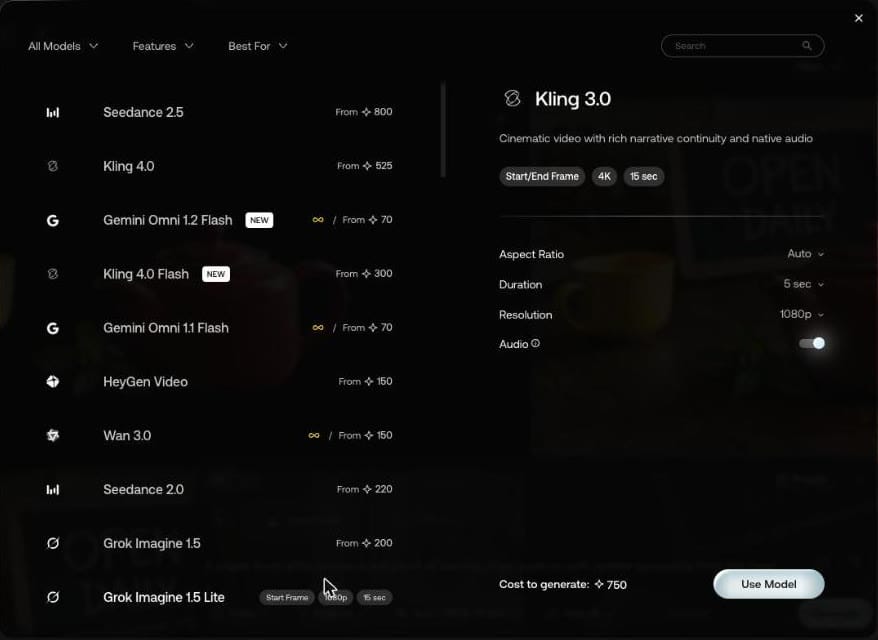
The list shows a starting price, and your settings move it. Grok Imagine 1.5 Lite said "From 50" and asked 250 for 480p at 5 seconds. Kling 3.0 at 1080p, 5 seconds with audio on asked 750.
Read the price you'll pay by holding the pointer over Generate, or at the bottom of the model panel.
How that adds up over a month is on our page about Artlist AI credits. Our list of Artlist AI models goes through every model.
How do you generate a video on Artlist?
- Open Video in the left menu of the AI tools.
- Type a prompt, and add a Start Frame or End Frame if the model takes one.
- Pick the model, then open the settings beside it for aspect ratio, duration, resolution and audio.
- Check the Unlimited toggle. Ours came back on when we picked 720p on Seedance 1.0 Pro Fast.
- Hold the pointer over Generate for the price, then press it.
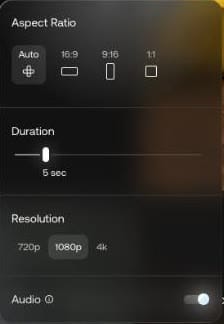
Artlist's Image and Video FAQs list lengths of 4, 5, 6, 8, 10, 12 or 15 seconds depending on the model, or up to 30 with Seedance 2.5, and MP4 output. The longer-video advice there is to generate several short clips and join them in your editor.
Is Sora on Artlist?
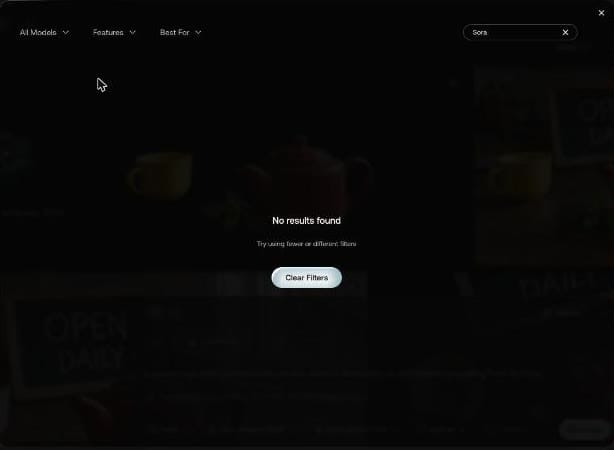
No. Artlist's Image and Video FAQ says that as of September 2026 Kling 1.6, Kling 2.1 Master, LTX 2.0 Pro, Sora 2 and Sora 2 Pro "have been removed from the model picker". Clips you made with them earlier stay in your folders. A search for "Sora" in the Video model list returned nothing. Artlist's MCP connector, which runs generations from AI assistants, still listed Sora 2 and Sora 2 Pro as available on November 8, 2026.
The list did carry Seedance 2.5, 2.0, 2.0 Mini, 1.5 Pro and 1.0 Pro Fast, and Kling 4.0, 4.0 Flash, 3.0, O3 and 2.5 Turbo Pro. Searching "Kling 2.5" returned no results even though Kling 2.5 Turbo Pro is there, so search a single word.
What is Seedance Draft Mode?
Choose 480p on Seedance 2.5 and the settings panel explains it: "Generate a fast, low-cost 480p draft, then render in 1080p when it looks right." Our 1,000-credit boat clip above was that 480p setting.
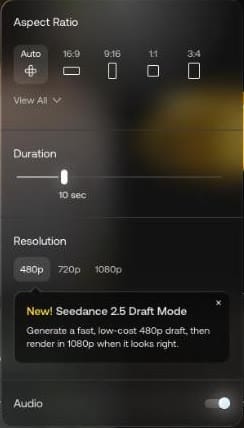
Seedance 2.5's description reads "30s video generation from up to 50 input references". Per the FAQ, Seedance 2.0 takes up to 3 reference video clips totaling 15 seconds.
Is the Seedance draft cheaper than going straight to 1080p?
Not for one clip. A day after our 480p boat draft, Artlist quoted 5,000 credits to render it in 1080p, the same price as generating the boat at 1080p directly. Draft plus render comes to 6,000. The quote said the draft stayed renderable until 21 November, two weeks after we made it.
The saving comes when you throw takes away. Five 480p drafts and one render cost 10,000 credits. Five tries straight at 1080p cost 25,000.
Is Seedance 2.5 Unlimited on Artlist?
Not on any self-serve plan: it isn't on the Unlimited lists of AI Core, AI Creator, Max or Max Business, and Custom Business has Unlimited on all models. Where it applies, the FAQ says "Unlimited covers Text-to-Video and Image-to-Video generations only" for Seedance 2.5. Its reference and video-edit modes use credits.
What do start and end frames change?
We gave MiniMax H3 Max Turbo the red teapot from our image tests as a start frame and the same scene with a matte blue teapot as the end frame:
The teapot slowly changes color from glossy red to matte blue while the camera stays still
Then we ran it again with the start frame only. Both cost 175 credits, the same as text alone.
Start and end frame
Start frame only
Both teapots passed through purple and turned blue within the first two seconds, so the prompt alone was enough for the change. The end frame decided which blue. Without it, the teapot ended a deep navy. With it, the teapot landed on the lighter, speckled blue of our end image.

Use an end frame when the final look has to match a set image, such as a product color.
Can you animate your own image?
Yes. Open a finished image and press Video, and it lands in the prompt box as @start. Seedance 1.0 Pro Fast, 200 credits, 480p, 5 seconds:
Steam rises slowly from the spout of the red teapot, gentle camera push-in
The camera pushed in. We couldn't see the steam in the frames we checked.
What did we do when a prompt failed?
For the teapot clip above, we changed two things: made the steam the whole subject, and took the camera move out so the model had one job.
Thick white steam curls up from the spout of the red teapot and drifts toward the window. The camera stays still.
Same image, same model (Seedance 1.0 Pro Fast), same 200 credits.
Steam showed up this time, as pale clouds against the window behind the teapot. It didn't rise from the spout.
What can you do with a finished clip?
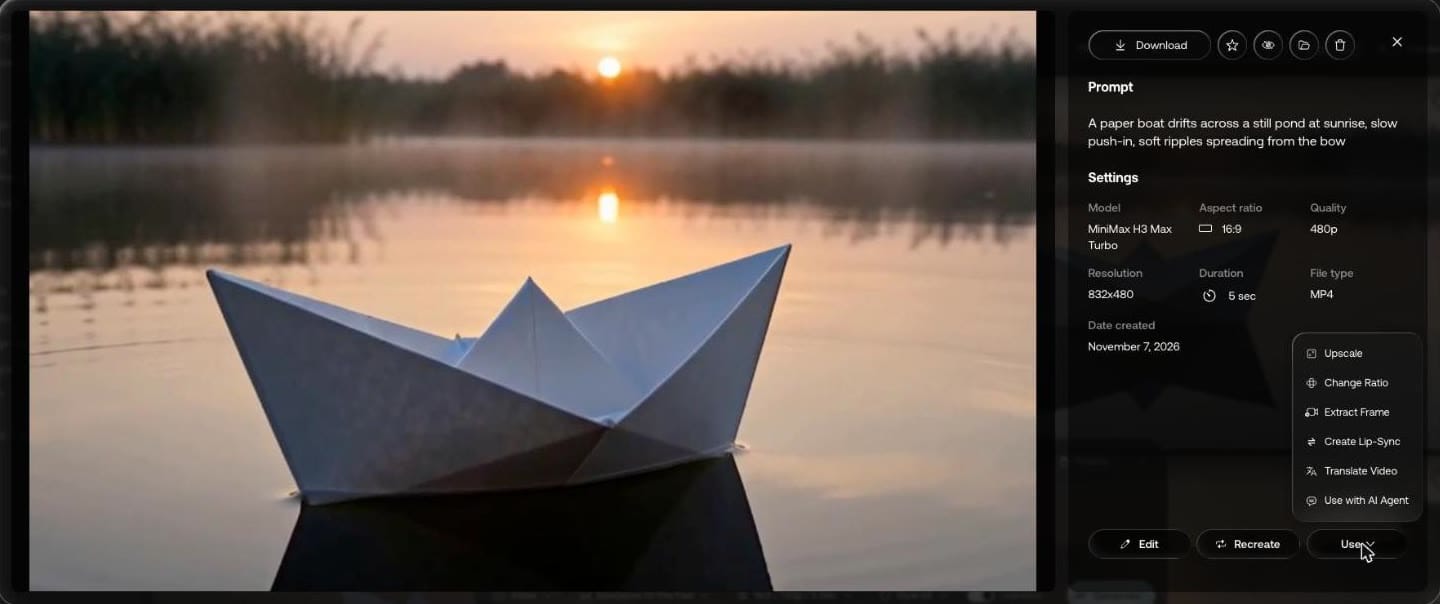
The clip we opened showed its prompt, model, resolution, duration and file type. Below that: Edit, Recreate, and a Use menu with Upscale, Change Ratio, Extract Frame, Create Lip-Sync, Translate Video and Use with AI Agent.
Can you use the clips commercially?
Artlist's FAQ says generated videos "can be used in any commercial context", including ads and client projects.
Our Artlist coupon code gives 2 free months on annual plans. For music from another library, here's the Epidemic Sound discount code.