Two Prompts, Six Models: Testing the Artlist AI Image Generator (2026)
Last verified: 2026-11-08
We gave four of the image models in how Artlist works the same sentence and paid between 30 and 90 credits per image on our Max Pro account.
What did the same prompt produce on each model?
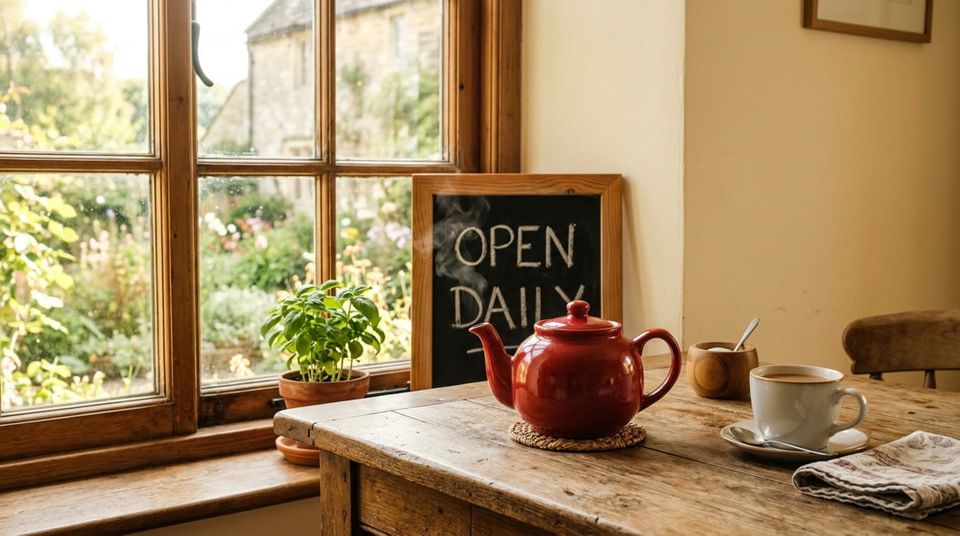
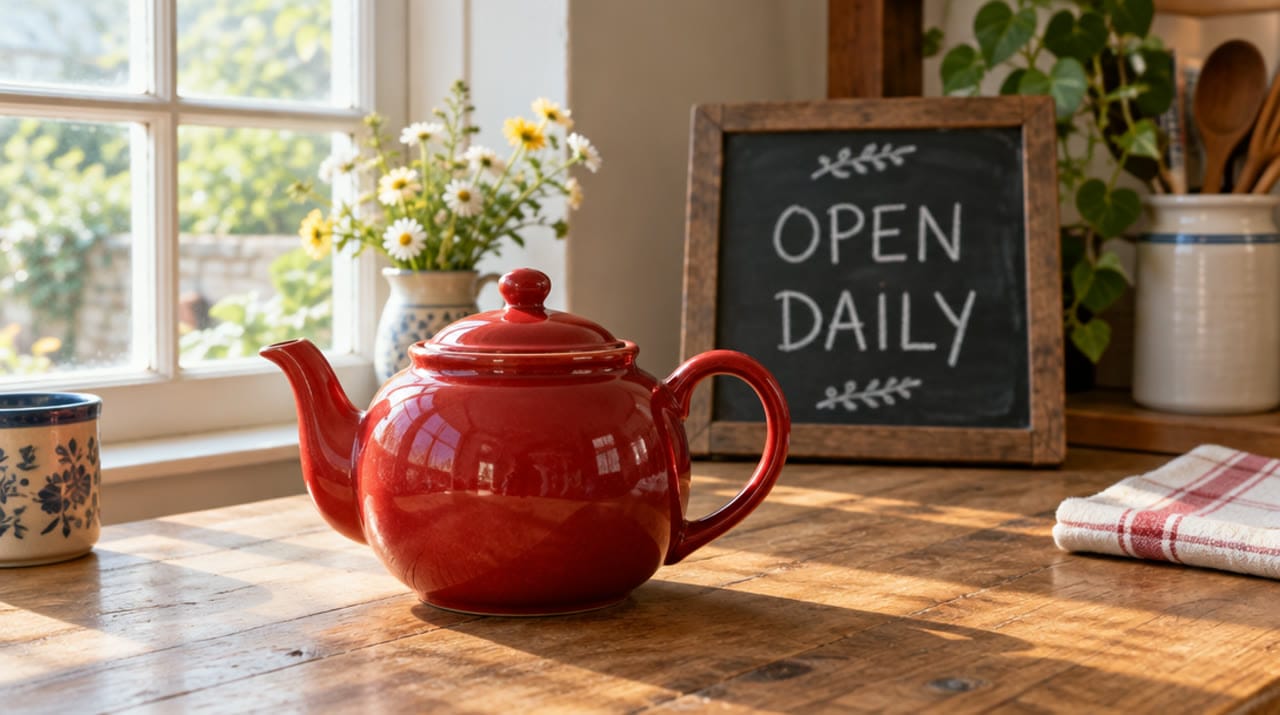
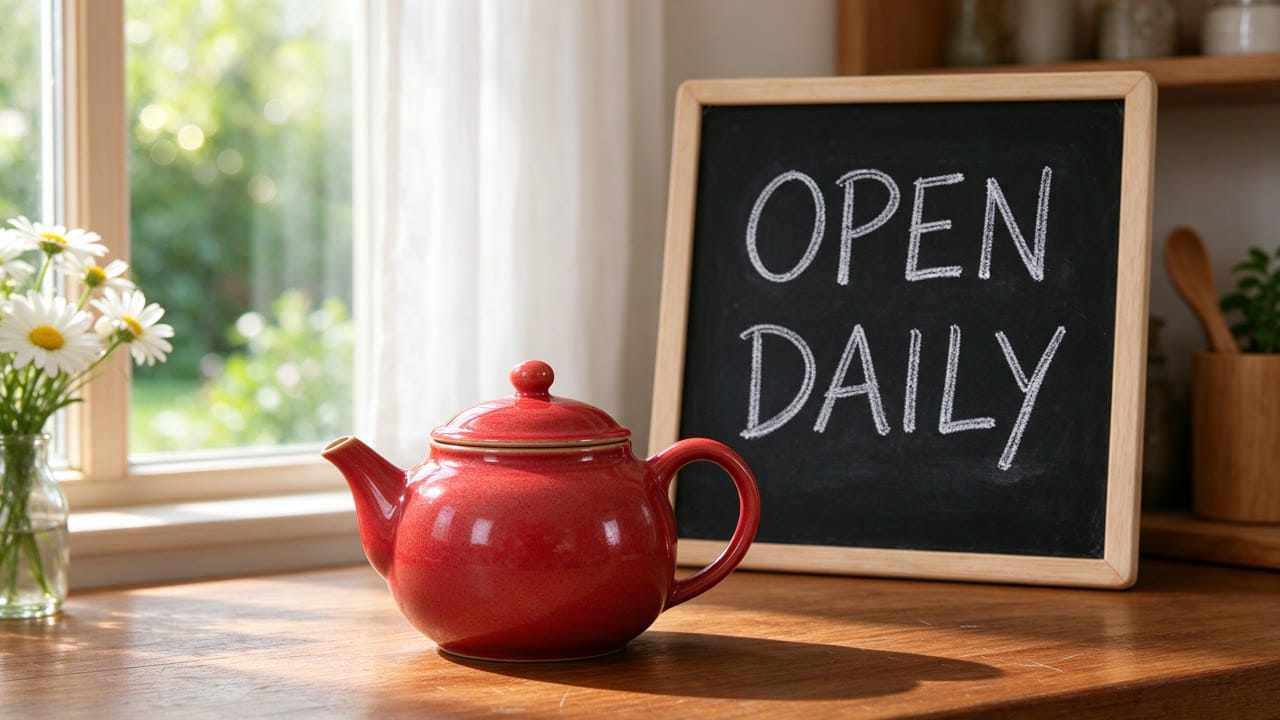
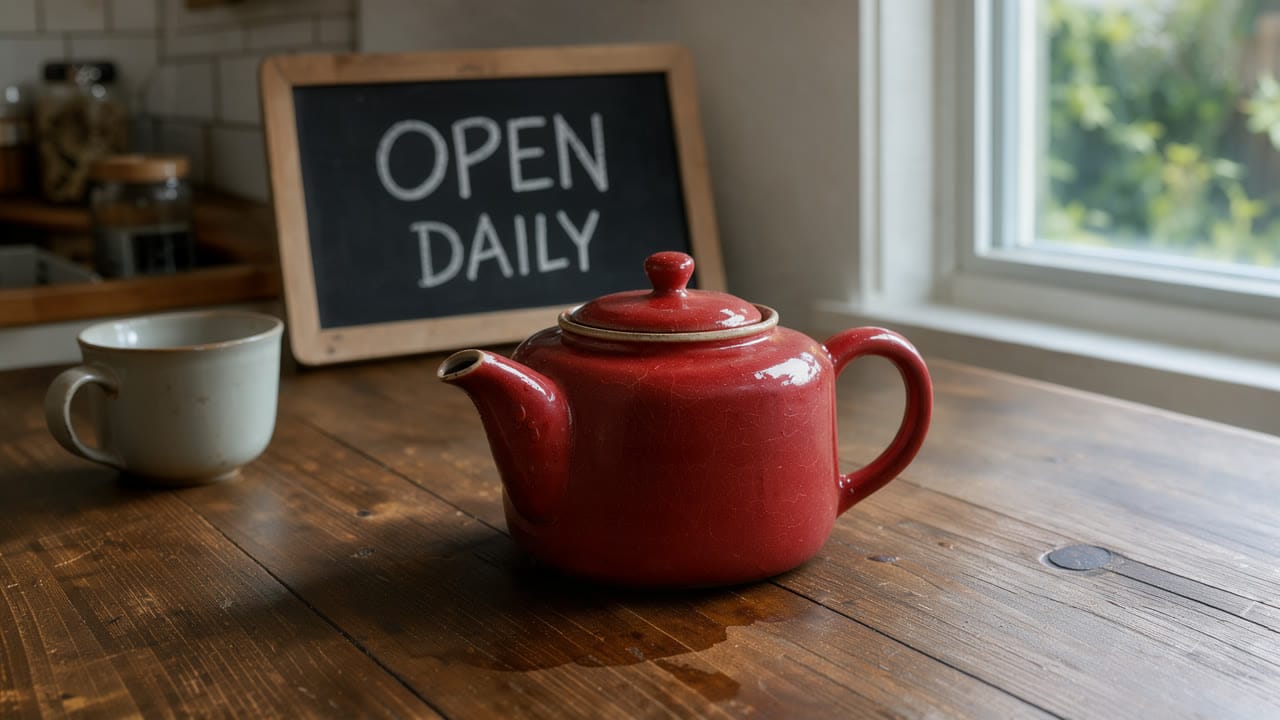
A red ceramic teapot on a wooden kitchen table beside a window, soft morning light. A small chalkboard behind it reads OPEN DAILY
| Model | Settings | Credits | File |
|---|---|---|---|
| Nano Banana 2 | 16:9, 1K | 90 | 1376 x 768 PNG |
| GPT Image 2.5 | 16:9, Medium, 1K | 80 | 1088 x 608 PNG |
| Seedream 5.0 Flash | 16:9, 2K | 50 | 2816 x 1584 PNG |
| Flux 3 Klein | 16:9, 2K | 30 | 2048 x 1152 PNG |
All four spelled OPEN DAILY correctly. The image above is Nano Banana 2.
GPT Image 2.5
Seedream 5.0 Flash
Flux 3 Klein
Which model spells longer text correctly?
A day later we gave five models a sign with nine words and a number:
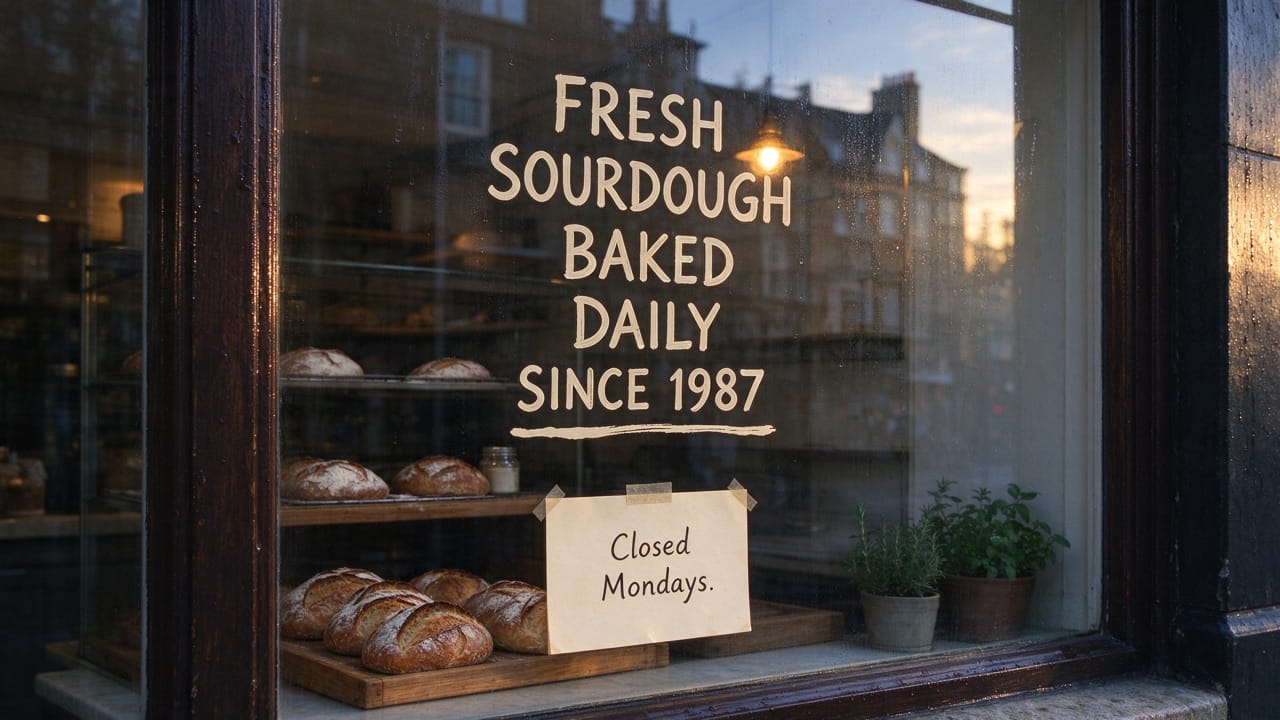
A bakery shop window at dawn. A hand-painted sign on the glass reads FRESH SOURDOUGH BAKED DAILY SINCE 1987. A small paper card taped below it reads Closed Mondays.
| Model | Settings | Credits | File | Text |
|---|---|---|---|---|
| Ideogram V4.5 | 16:9, Medium, 1K | 120 | 1280 x 720 | All correct |
| GPT Image 2.5 | 16:9, Medium, 1K | 80 | 1088 x 608 | All correct, plus wheat sprigs and rules around it |
| Seedream 5.0 Flash | 16:9, 2K | 50 | 2816 x 1584 | All correct, plus a full stop after "Mondays" |
| Meta Muse Image | 16:9 | 30 | 2048 x 1152 | All correct |
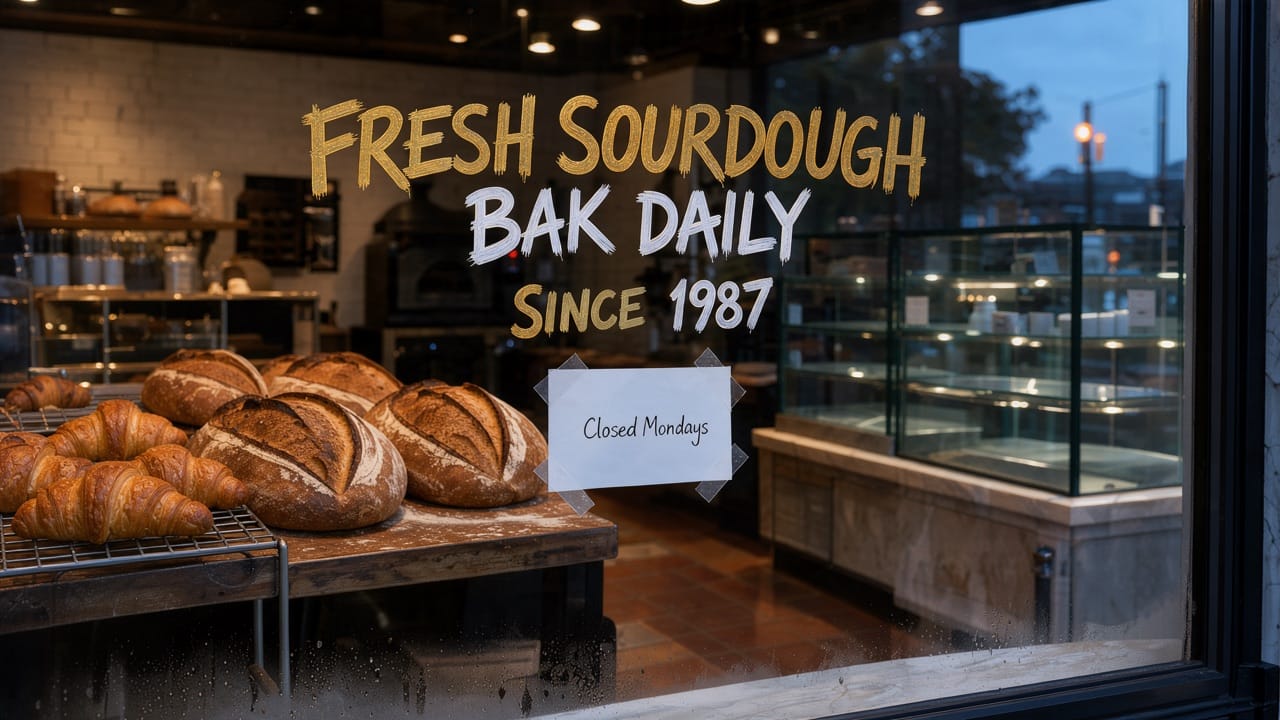
| Flux 3 Klein | 16:9, 2K | 30 | 2048 x 1152 | "BAK DAILY" |
Ideogram V4.5, which wrote exactly what we asked:
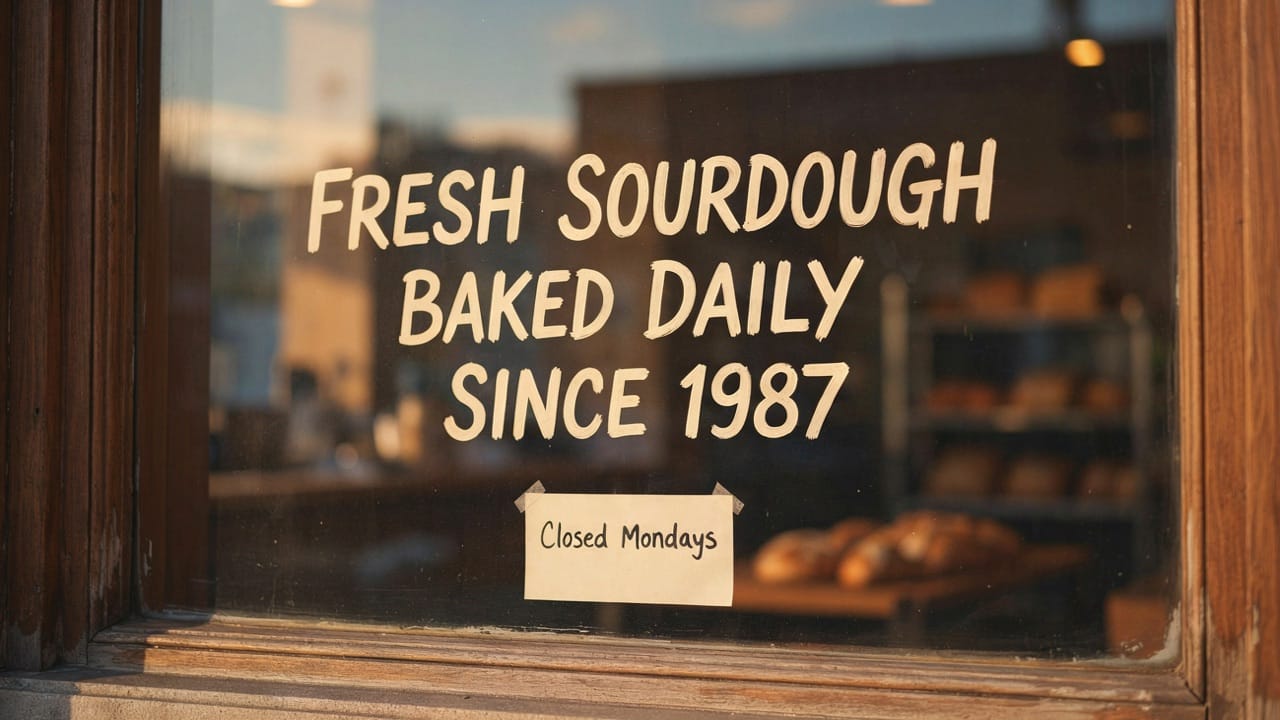
Meta Muse Image, just as exact at a quarter of the price:
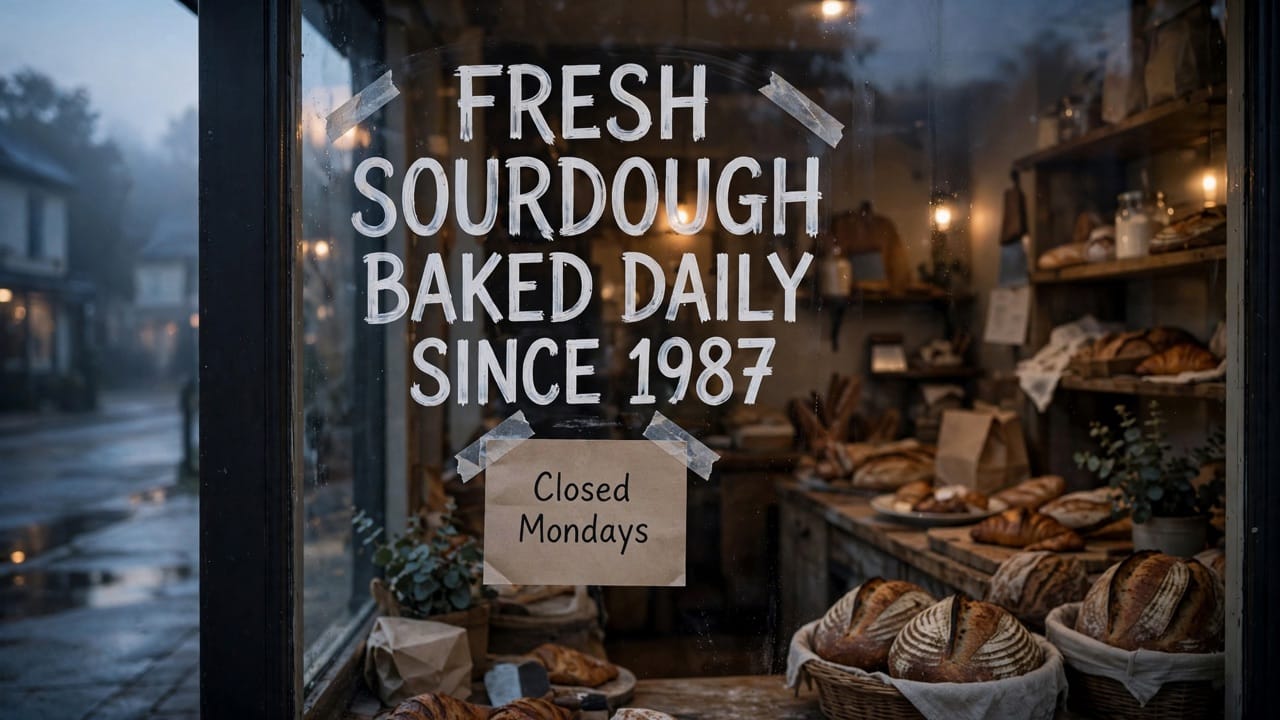
GPT Image 2.5
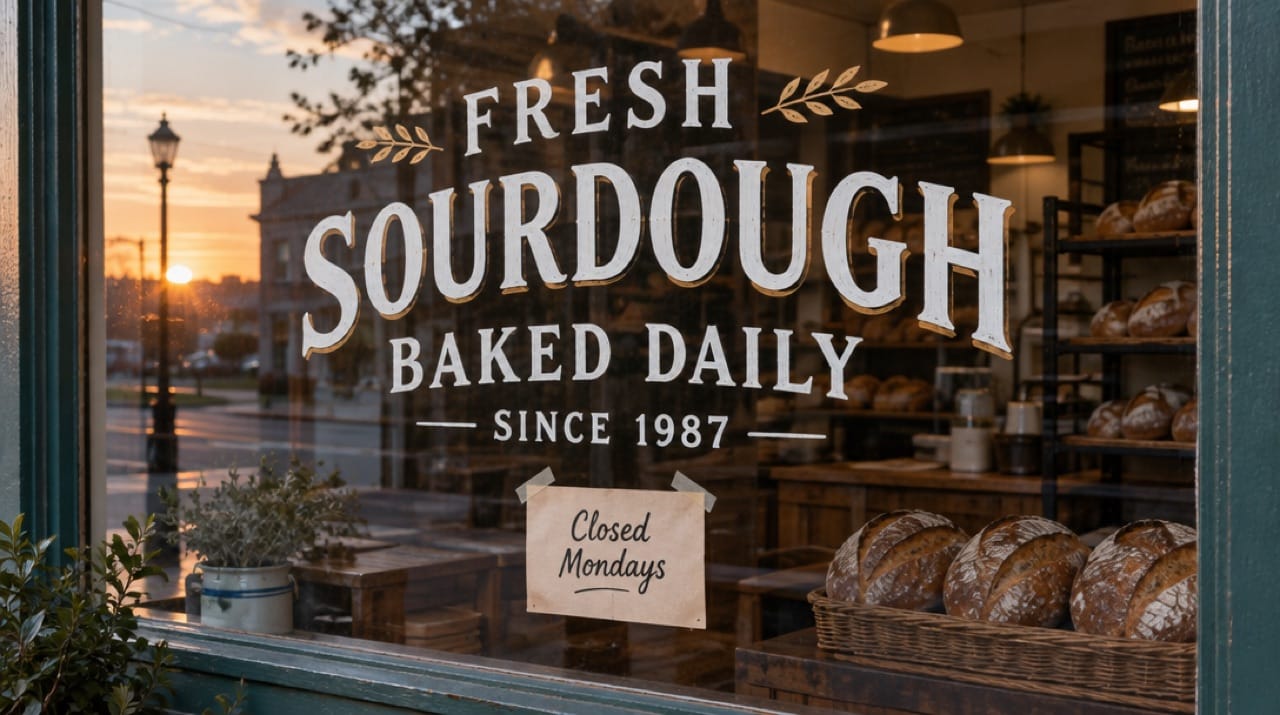
Seedream 5.0 Flash
Flux 3 Klein, which dropped two letters:
How do you fix a misspelled word?
Edit the image instead of rolling the whole prompt again. Our first try used Flux 3 Klein on its own picture, for 30 credits:
Change the word BAK on the window to BAKED. Keep everything else identical.
It wrote BAKED and lost most of DAILY, leaving "BAKED Y". Everything else in the picture stayed put.
The second try was Seedream 5.0 Flash on that result, 50 credits, naming the whole line rather than the one word:
The white middle line of the window sign must read BAKED DAILY. Keep everything else identical.
That fixed it. The loaves, the card and the gold lettering came through unchanged, at Seedream's 2816 x 1584.
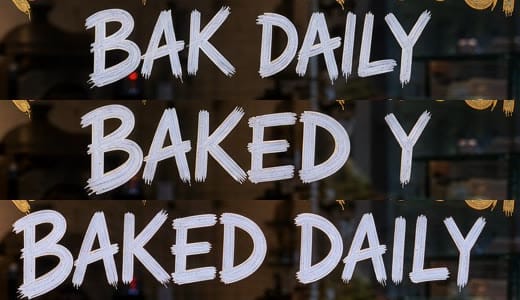
Two edits for 80 credits got Flux's 30-credit picture right. Meta Muse Image got it right first time for 30. When the words matter, start with a model that spelled them correctly above.
How much do quality and size add?
| Model | Cheapest | Default | Top |
|---|---|---|---|
| Flux 3 Klein | 1K: 20 | 2K: 30 | 4K: 70 |
| Seedream 5.0 Flash | 1K: 50 | 2K: 50 | |
| GPT Image 2.5, 1K | Low: 40 | Medium: 80 | High: 100, Max: 350 |
| Ideogram V4.5 | Low, 1K: 60 | Medium, 1K: 120 | High, 2K: 410 |
Seedream 5.0 Flash costs the same at 1K and 2K, so there's no reason to pick 1K. GPT Image 2.5 at Medium quality and 4K output was 100, the same as High at 1K. Four Flux 3 Klein images in one run cost 120, four times one.
How do you generate an image on Artlist?
- Open Image in the left menu of the AI tools.
- Type the prompt.
- Pick a model and open the settings next to it.
- Hold the pointer over Generate to see the price.
- Press Generate.
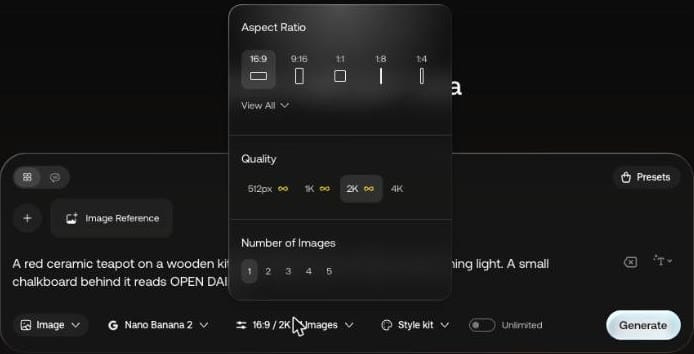
Nano Banana 2 showed 512px, 1K, 2K and 4K, and up to 5 images per run. Going from 2K to 1K took its price from 130 credits to 90.
Artlist's Image and Video FAQs say generation is limited to preset aspect ratios per model, so custom sizes mean cropping or resizing after download.
Which models can you choose from?
All Models opens the full list with a starting price per model, plus Features and Best For filters. The right side shows the price for your current settings before you commit.
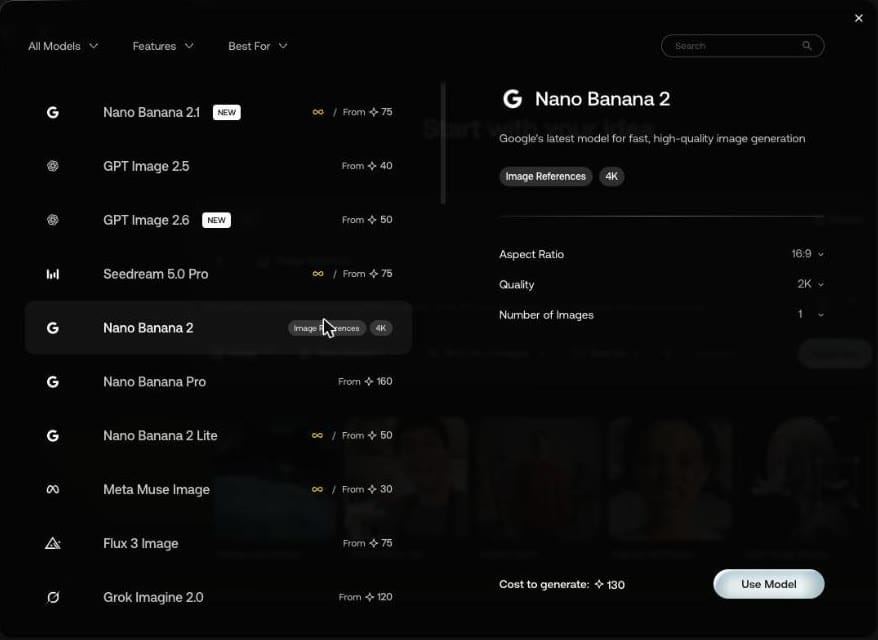
Starting prices in this view run from 30 credits for Meta Muse Image to 160 for Nano Banana Pro. How those prices turn into a monthly budget is covered under Artlist AI credits.
Does Unlimited switch itself back on?
On our account it did. The toggle was on when we opened the tool, and it returned when we changed Nano Banana 2's quality and again when we switched to Nano Banana 2.1. With it on, Generate shows "Unlimited". With it off, it shows a credit price.
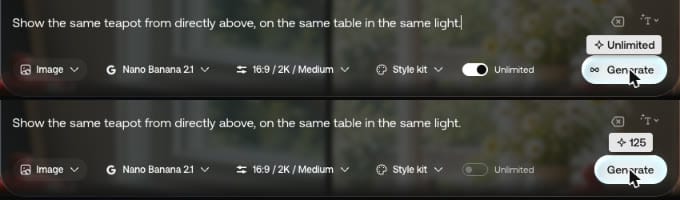
Artlist's FAQ says Unlimited generations don't deduct credits, subject to reasonable use and daily thresholds that can vary by model. In the settings above, 4K was the one Nano Banana 2 quality without the infinity mark.
Can you edit an image with a prompt?
Yes. Open a result, press Add to Prompt, and it becomes a reference called @img1. We used the Flux 3 Klein teapot.
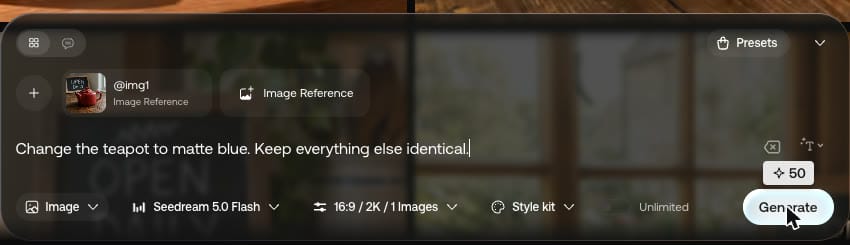
Seedream 5.0 Flash, 50 credits:
Change the teapot to matte blue. Keep everything else identical.
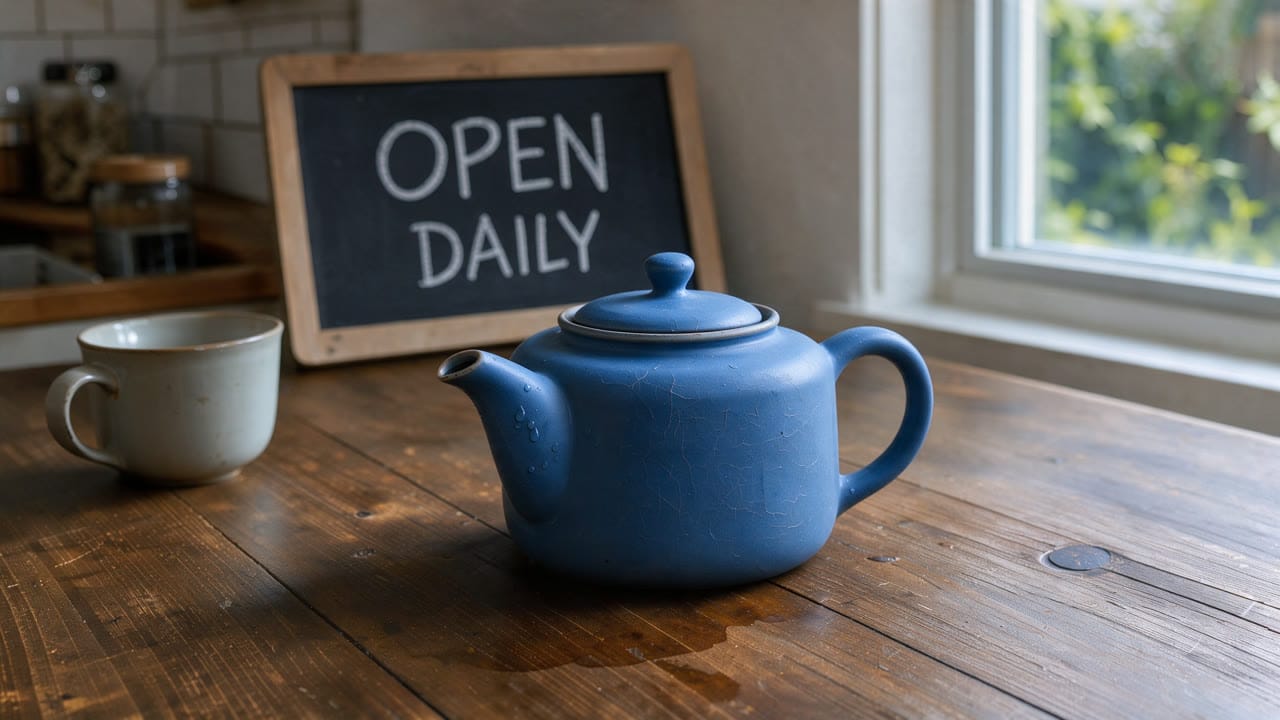
The sign, mug and table stayed in place. Nano Banana 2.1, 125 credits:
Show the same teapot from directly above, on the same table in the same light.
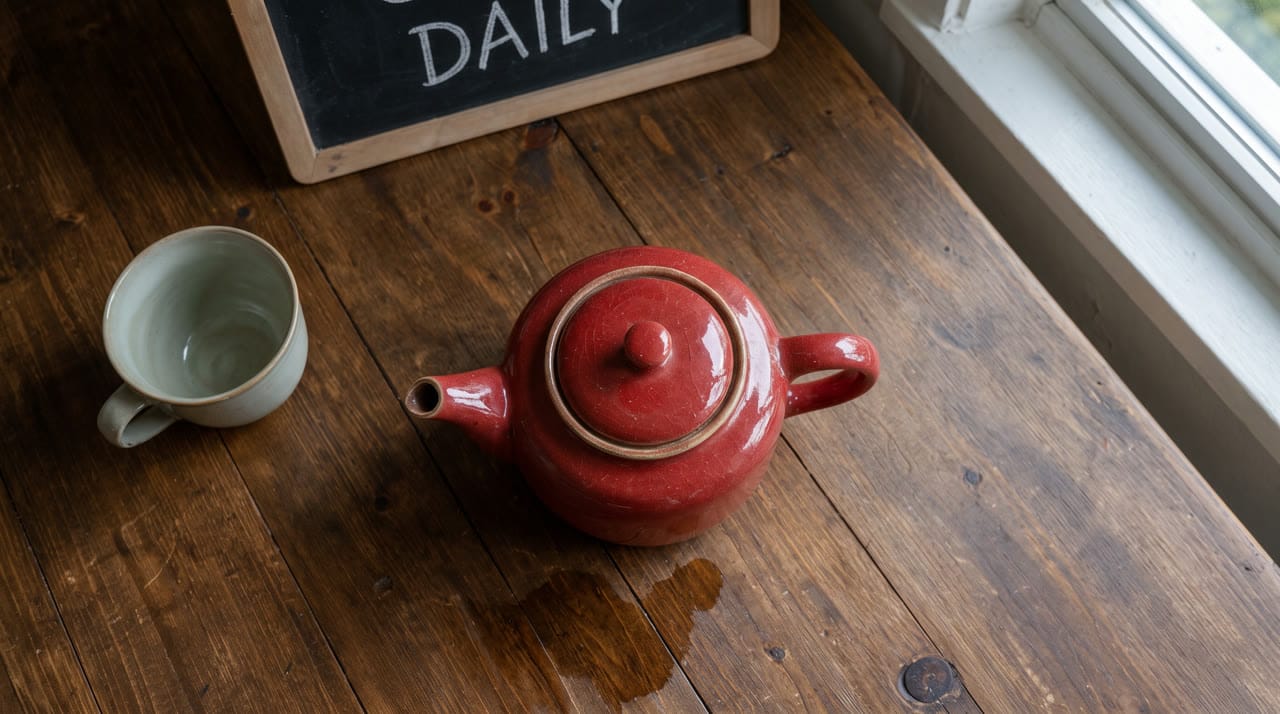
To change one spot by clicking on it, use the Artlist image editor instead.
What else can you do with a finished image?
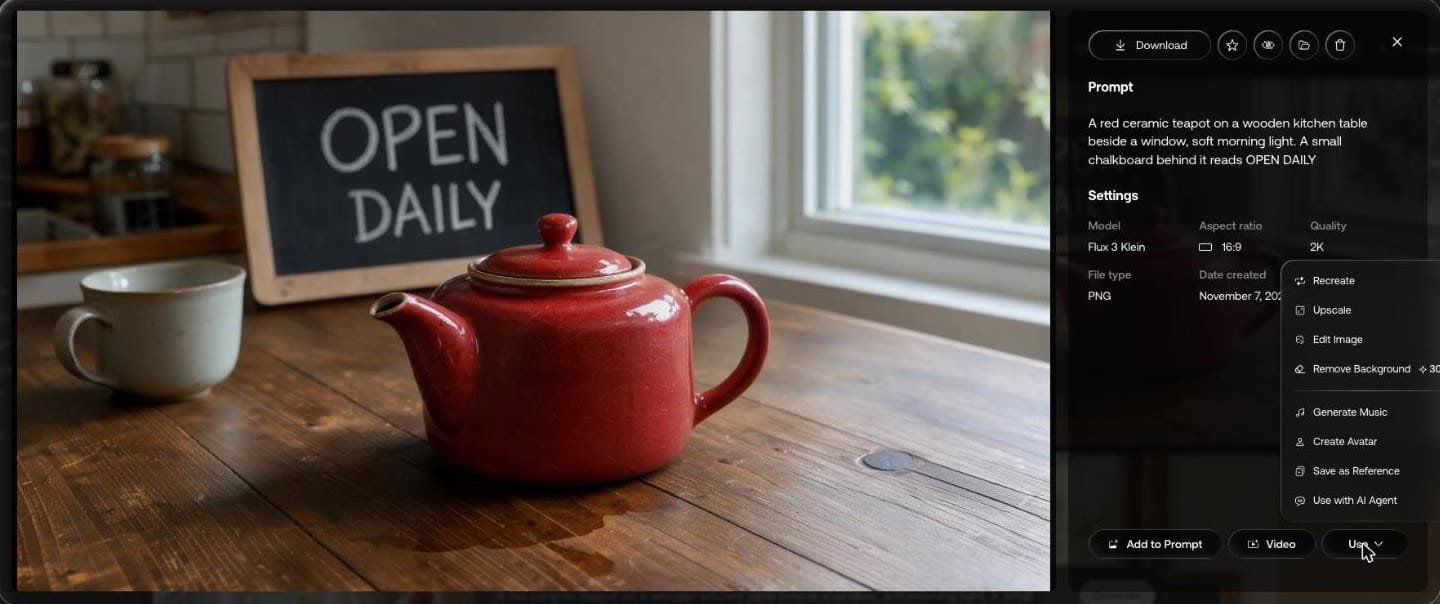
The Use menu on the result we opened listed Recreate, Upscale, Edit Image, Remove Background at 30 credits, Generate Music, Create Avatar, Save as Reference and Use with AI Agent. Video sends it to the video tool.
Are there presets?
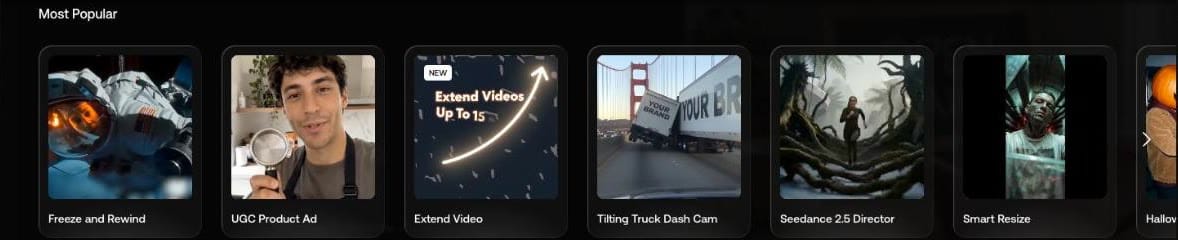
Presets opens a gallery of ready-made setups, led by a Most Popular row.
Can you use Artlist images commercially?
Artlist's FAQ says generated images and videos "can be used in any commercial context", including ads and client projects.
Our Artlist discount code gives 2 free months on annual plans. Comparing music subscriptions too? Here is the Epidemic Sound discount code.