Artlist Upscaling, Lip Sync, Avatars and Dubbing: Finishing a Clip (2026)
Last verified: 2026-11-08
We doubled the resolution of a paper boat clip for 750 credits and made a cartoon fox talk for 643 on our Max Pro account. You'll find these finishing tools from how Artlist works in the Video model list and in a clip's Use menu.
How does Artlist video upscaling work?
Open a clip, choose Use, then Upscale. It lands in the prompt box as @vid1 with Topaz Upscale Video selected.
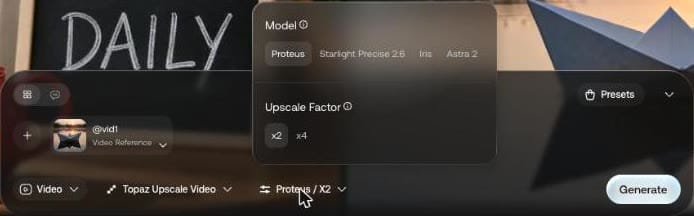
The tooltip describes Proteus as "non-generative precision enhancement that fits most real-world footage", and Iris as non-generative too, staying "faithful to your footage". It calls Starlight Precise 2.6 "generative". We ran Iris at x2 on a 5-second clip, for 750 credits.
| Before | After | |
|---|---|---|
| Resolution | 832 x 480 | 1664 x 960 |
| File size | 2.2 MB | 6.5 MB |
The original stretched to the same size on the left, the upscale on the right, cropped to the boat:

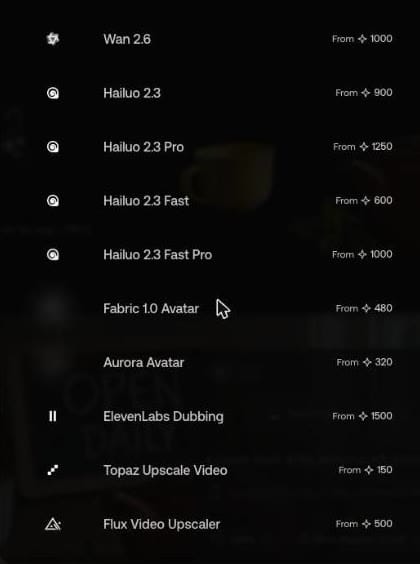
The model list also has Flux Video Upscaler, starting at 500 credits against Topaz's 150.
How do you make an Artlist AI avatar?
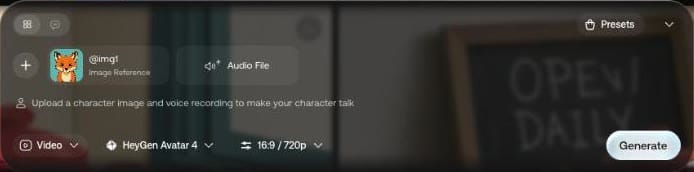
Give it a character image and a voice recording. Use on a finished image offers Create Avatar, and Use on a voiceover does too. The prompt box says: "Upload a character image and voice recording to make your character talk".
We drew a cartoon fox with Flux 3 Klein for 30 credits:
A friendly cartoon fox character looking straight at the camera, head and shoulders, mouth closed, flat illustration, plain teal background
Then we attached an 8-second take from our Artlist AI voiceover test. Aurora Avatar at 480p cost 643 credits and returned 896 x 448, 8.2 seconds, with sound:
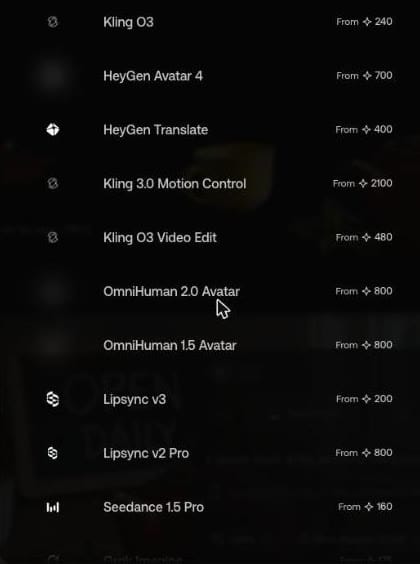
| Avatar model | Starts at |
|---|---|
| Aurora Avatar | 320 |
| Fabric 1.0 Avatar | 480 |
| HeyGen Avatar 4 | 700 |
| OmniHuman 2.0 and 1.5 | 800 |
What does Create Avatar pick for you?
On a 13-second voiceover from our bakery script, Use offered Recreate, Generate Video, Create Lip-Sync and Create Avatar.

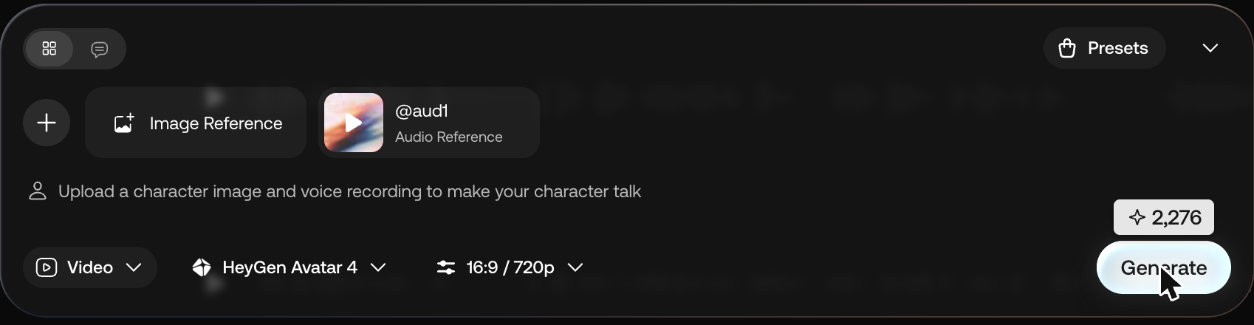
Create Avatar put the take in the prompt box as @aud1, picked HeyGen Avatar 4 at 16:9 and 720p on its own, and asked 2,276 credits on hover, before we had added a character image. Our 8-second fox on Aurora Avatar at 480p had cost 643.
In the list above, Aurora Avatar starts at 320 and HeyGen Avatar 4 at 700, so check the model before you press Generate.
Does Artlist have lip sync?
Yes, as a model and as Create Lip-Sync in a clip's Use menu.
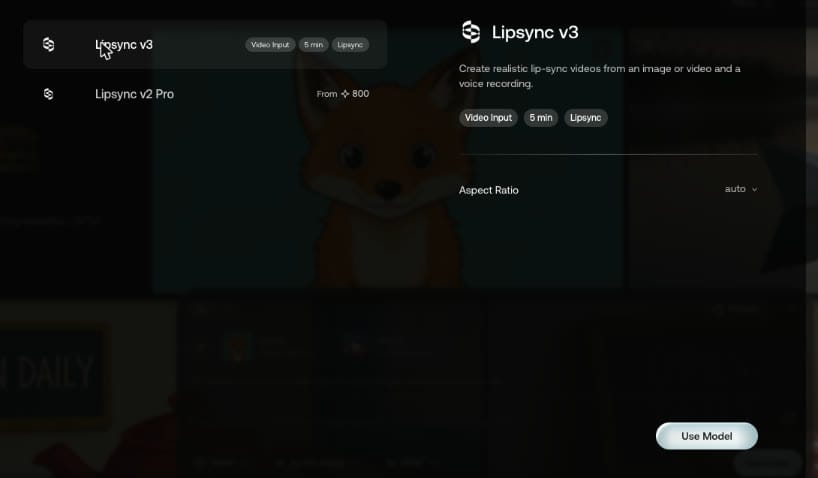
Lipsync v3 reads "Create realistic lip-sync videos from an image or video and a voice recording", tagged Video Input and 5 min, starting at 200 credits. Lipsync v2 Pro starts at 800.
Can Artlist dub a video into another language?
There are two dubbing models:
| Model | Starts at | Length tag | Artlist's description |
|---|---|---|---|
| ElevenLabs Dubbing | 1,500 | 15 min | "Translates videos into 32+ languages while preserving the speakers' unique voice and delivery style" |
| HeyGen Translate | 400 | 15 min | "Seamlessly translates any video with perfect lip-sync, voice cloning, and multiple speakers" |
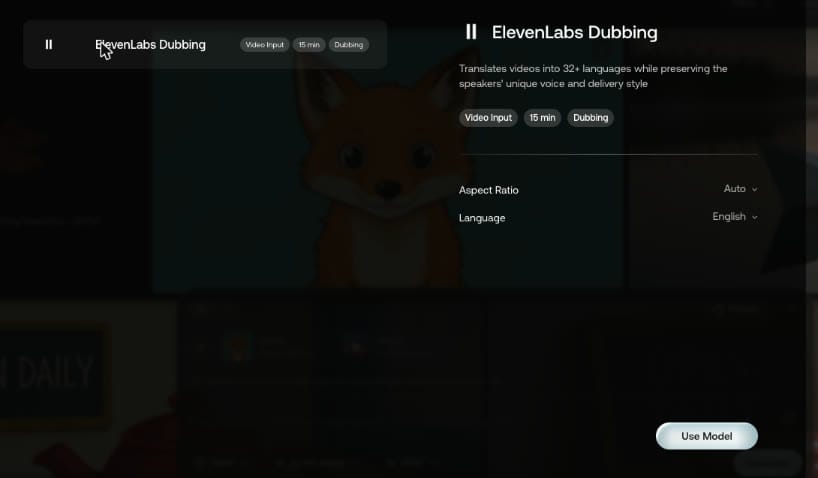
A clip's Use menu also has Translate Video.
Our Artlist coupon code gives 2 free months on annual plans. If you're only after music, here is the Epidemic Sound discount code.