What You Can Build in Artlist Flows: Nodes, Templates and Credits (2026)
Last verified: 2026-11-08
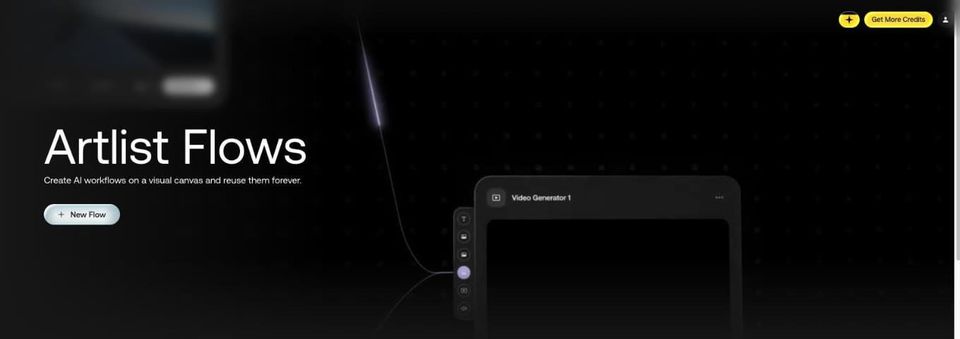
Flows is the canvas tool in how Artlist works: prompts, images and video models connected by lines, so you can run the whole chain again instead of copying results between tools. Artlist labels it beta in the app.
What can you build in Flows?
Artlist's Flows help article gives the example of connecting a text prompt to an image generator to a video generator, then running all of it, or running from any point forward. The panel on the left of the canvas holds six node types: the five below, plus List.
| Node | What the help article says it does |
|---|---|
| Prompt | "a freeform text field for your prompt" |
| Prompt Assistant | Uses an LLM to "expand or transform" text or an image into text |
| File Uploader | Brings in your own image, video or audio, or one from your library |
| Image Generator | Makes an image, with settings for model, aspect ratio, resolution and images per run |
| Video Generator | Makes a video from up to three image inputs, plus text and audio |
Which templates does Flows include?
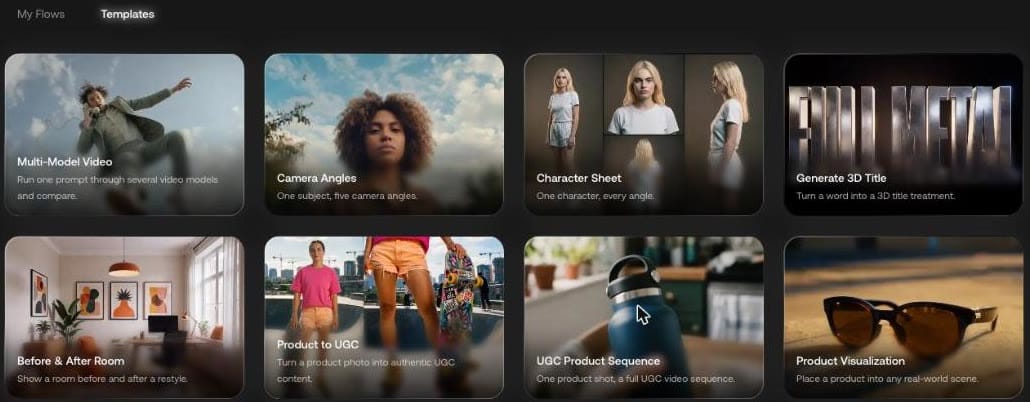
Templates on the Flows home page showed ten. Each one states its job, such as Camera Angles' "One subject, five camera angles." and Character Sheet's "One character, every angle."
What happens when you open a template?
Multi-Model Video opened as our own editable copy, named "Copy of Multi-Model Video", and it saved as we went. Sticky notes explain the steps. Ours said "Use this flow to quickly evaluate different video models", then "Start by writing a prompt".
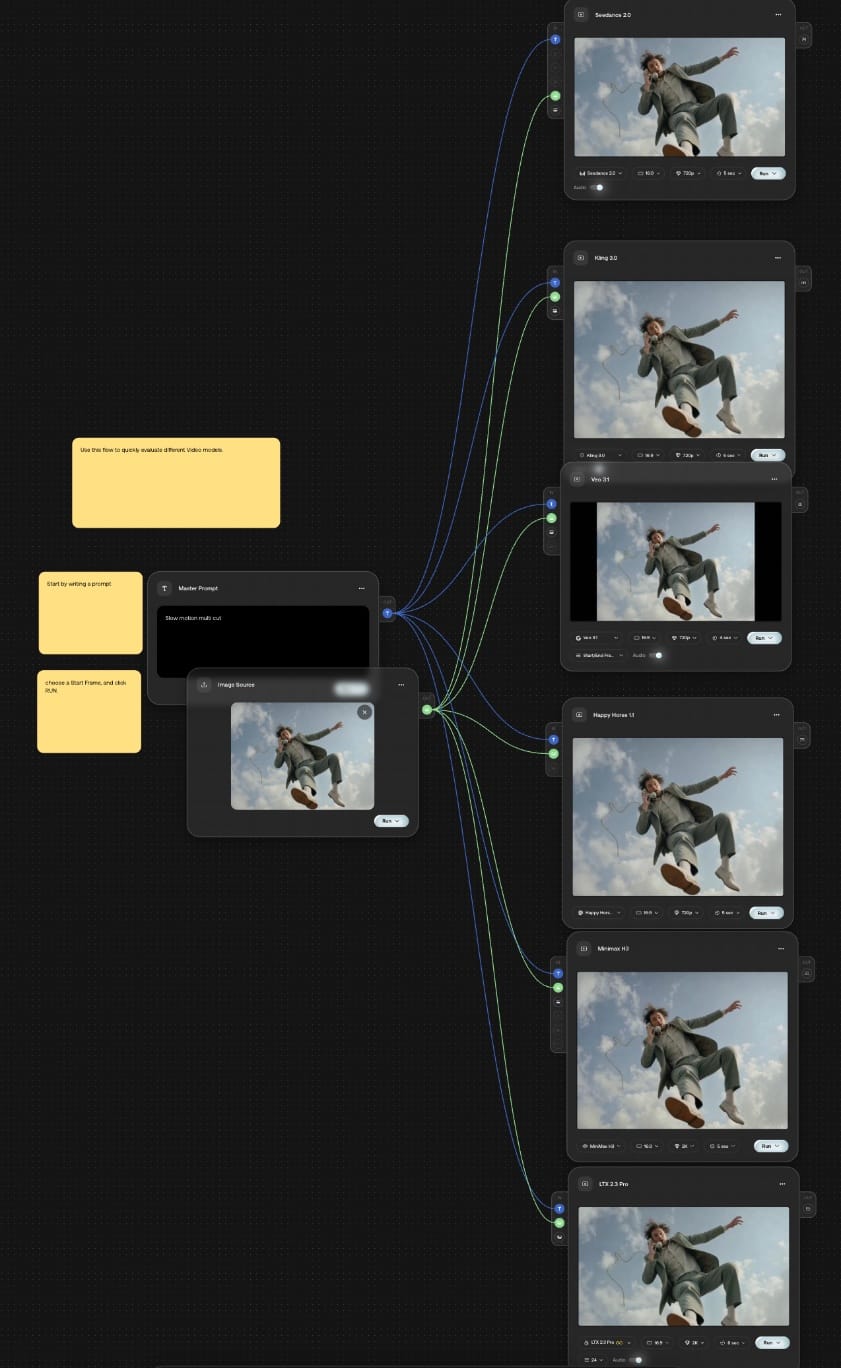
This template sends one master prompt and one image source into six video model nodes, each with its own Run button: Seedance 2.0, Kling 3.0, Veo 3.1, Happy Horse 1.1, MiniMax H3 and LTX 2.3 Pro. Each arrives with its own settings, from 720p and 5 seconds on Seedance 2.0 to 2K and 8 seconds on LTX 2.3 Pro. That makes it a direct way to do the model comparison on our Artlist AI video generator page without retyping.
Outputs went to the folder under Save to at the top of the canvas, and a click on a node type in the panel dropped a new node on the canvas.
How do credits work in Flows?
Artlist's article says "Each generator node shows its per-run cost in credits before you run it." On our canvas the price was in the menu behind the arrow on each Run button, not on hover. That menu has three choices, each with its price:
| Seedance 2.0 node | 720p, 5 sec | 480p, 5 sec |
|---|---|---|
| Run Node | 575 | 275 |
| Run From Here | 575 | 275 |
| Run Flow | 7,400 | 7,100 |
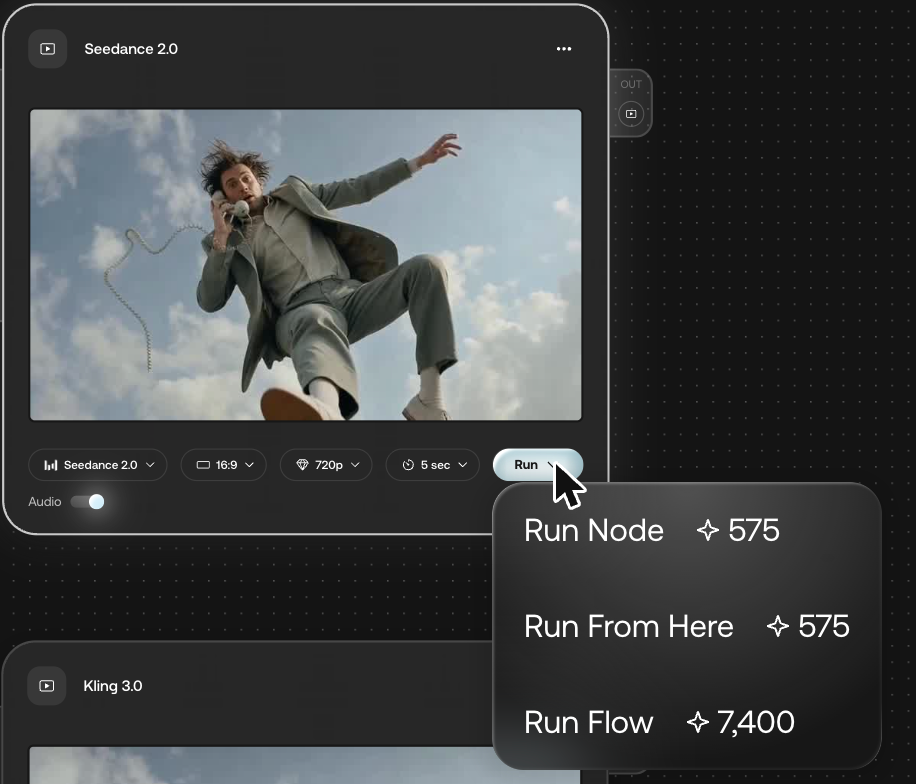
Run Flow runs every generator on the canvas, so the template as delivered costs 7,400 credits in one click. Changing one node to 480p cut 300 from that node and from the total, which puts the other five nodes at 6,825 between them.
What does one run of the template give you?
We opened a fresh copy of Multi-Model Video, replaced the master prompt with our paper boat sentence, removed the sample picture from Image Source, set the Seedance 2.0 node to 480p and chose Run Node:
A paper boat drifts across a still pond at sunrise, slow push-in, soft ripples spreading from the bow
It cost 275 credits. The node showed the result in place, and the clip landed in the folder under Save outputs to. The file is 864 x 496, 5.1 seconds, with an audio track. The boat starts as a speck in the middle of the pond and grows as the camera pushes in.
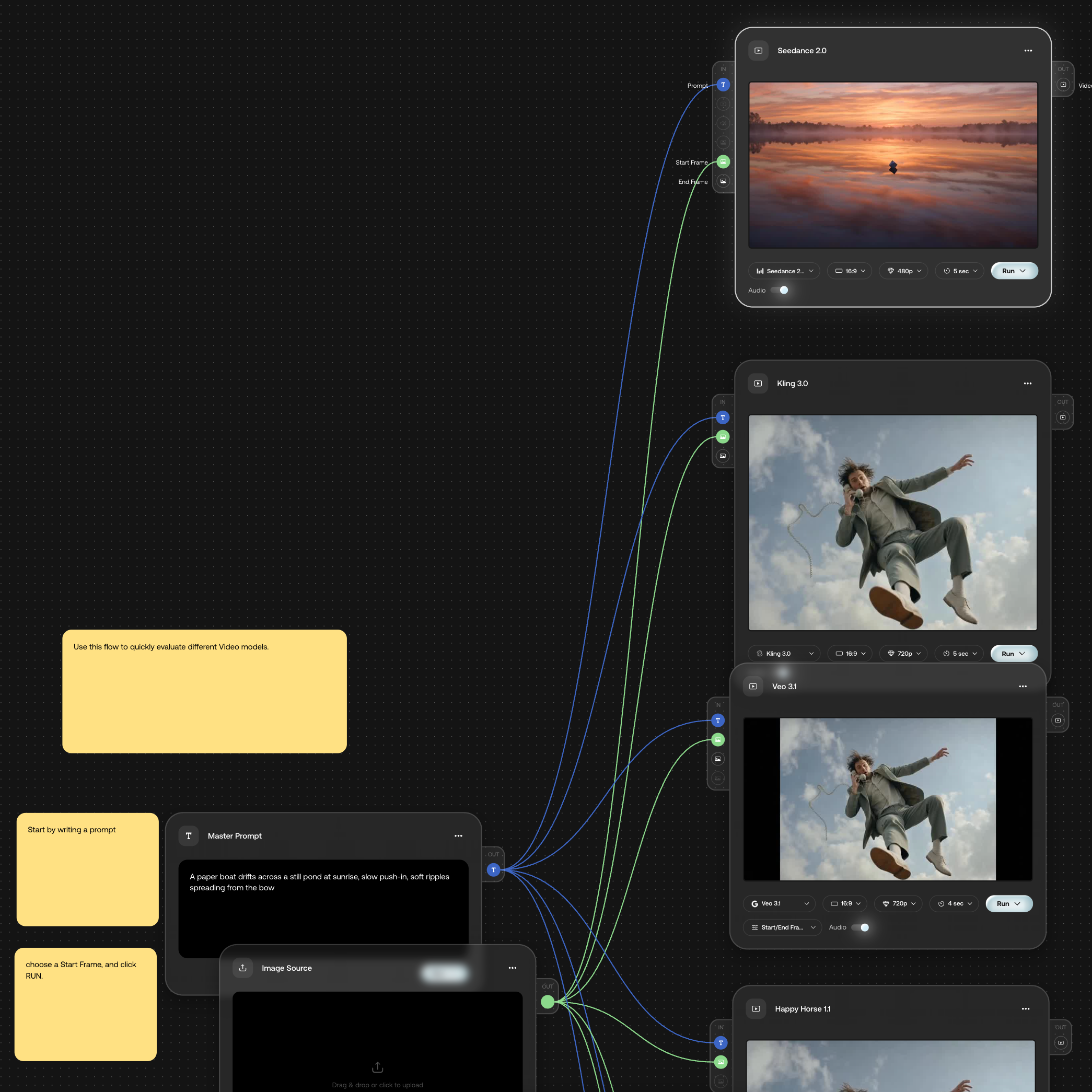
The other five nodes kept the template's sample preview. To compare models, run them one at a time with Run Node and read each price first. Seedance 2.0 with no start frame worked as text to video.
The canvas bar's Unlimited control read "Unlimited is not available with this model or settings." when we first opened the template, and both Run menus we opened showed credit prices.
Flows or Studio?
Flows is the canvas for connecting generation steps. For making a whole production from one project, look at Artlist Studio next.
Our Artlist promo code gives 2 free months on annual plans, and if you're comparing music libraries too, here is the Epidemic Sound coupon code.