Artlist Studio Walkthrough: Inside the Rooftop Chase Example Project (2026)
Last verified: 2026-11-08
Studio, one of the AI tools in how Artlist works, organizes AI video as a film project: a row of shots, a set of recurring characters, and an editor. Artlist's own example, Rooftop Chase, shows all three.
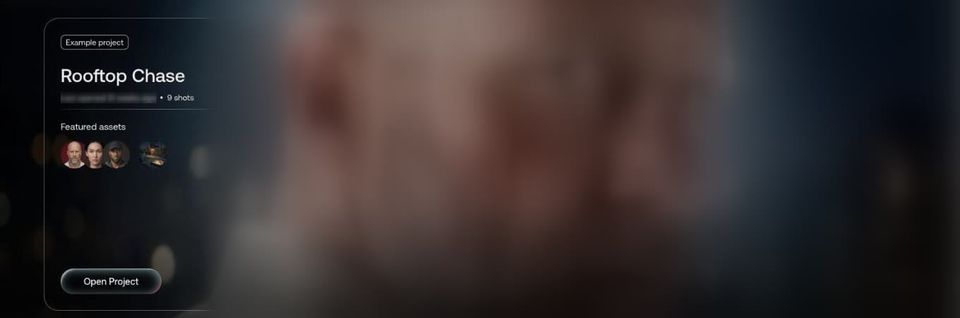
Studio in the left menu shows that example at the top, with its 9 shots and featured assets, and My Projects below it with a New Project tile.
What does a Studio project look like?
Three areas: the shot you're working on at left, its preview and timeline at right, and all the project's shots along the bottom.
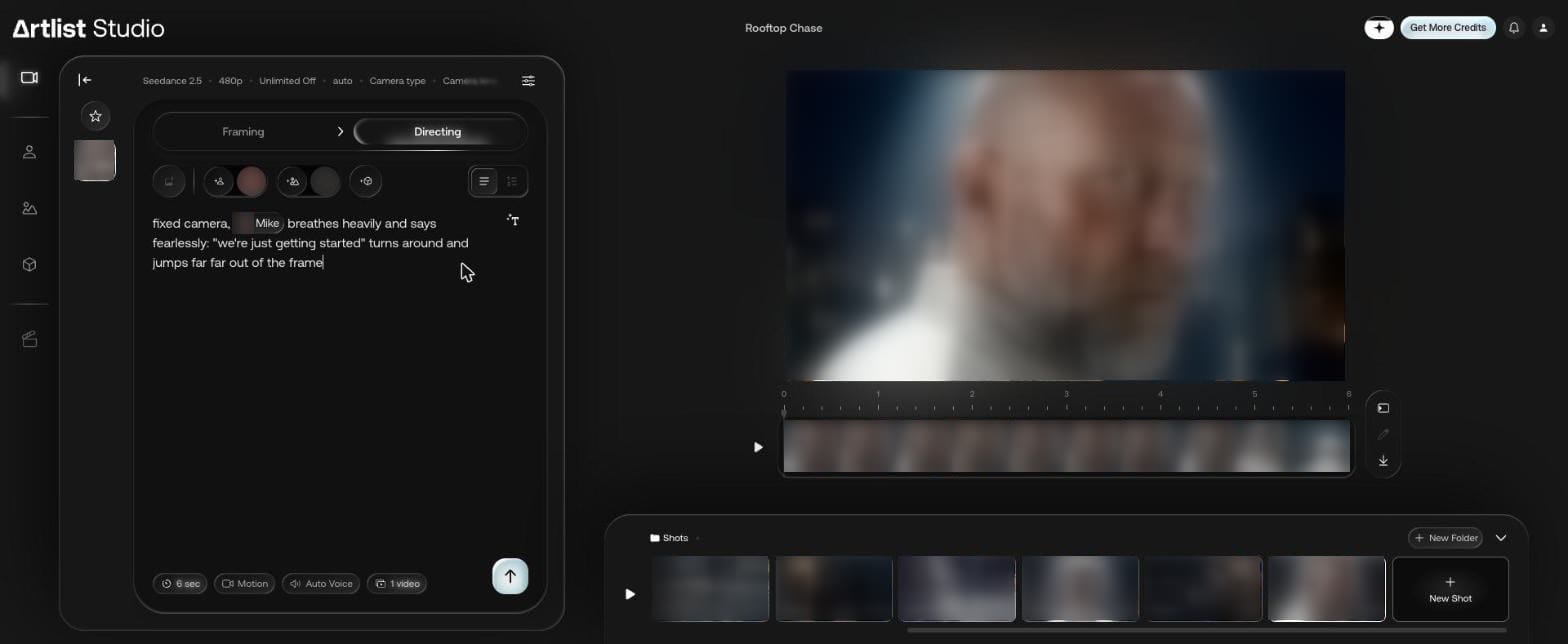
The shot in this screenshot is 6 seconds, and its prompt reads:
fixed camera, Mike breathes heavily and says fearlessly: "we're just getting started" turns around and jumps far far out of the frame
"Mike" is a tagged character, shown as a chip inside the sentence. The row at the bottom has New Shot and New Folder.
How do Framing and Directing work?
Each shot has two steps at the top of the panel, and the first-run tips explain them:
| Step | Artlist's tip |
|---|---|
| Framing | "Describe the first frame of your video. Add your own custom characters and locations." |
| Directing | "Describe the action and dialogue, adjust your settings, and bring your scene to life." |
Below the prompt in Directing, the example showed chips for duration, Motion, Auto Voice and number of videos.
Which settings can you control?
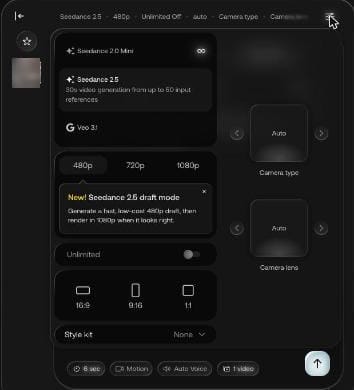
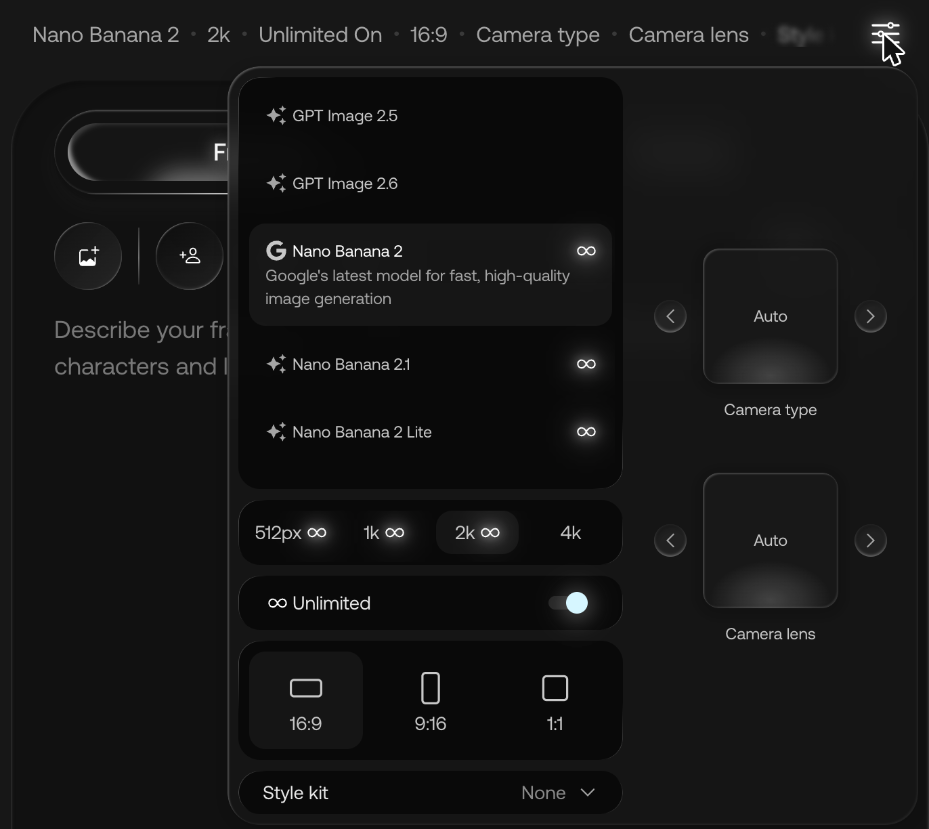
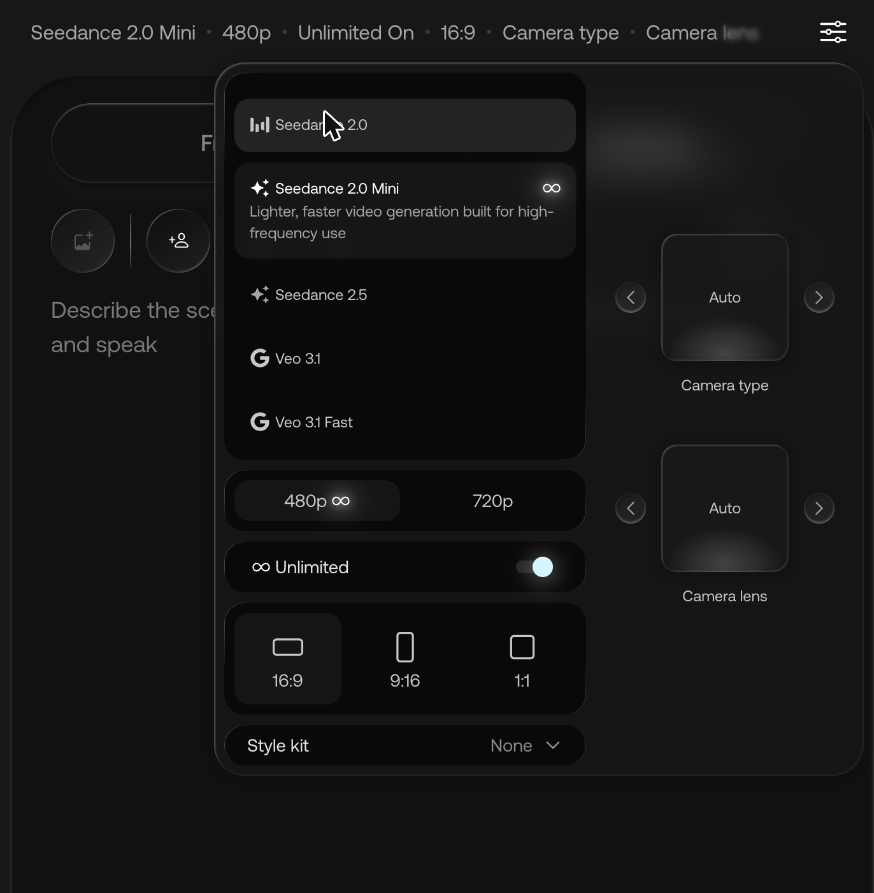
The settings panel on the example shot offered Seedance 2.0 Mini, Seedance 2.5 and Veo 3.1 at the top of its model list, then 480p, 720p and 1080p, an Unlimited toggle, 16:9, 9:16 and 1:1, a Style kit menu, and pickers for Camera type and Camera lens. Seedance 2.5's draft note appears here too.
For what a kit does to a picture, see Artlist style kits and references.
Where do characters come from?
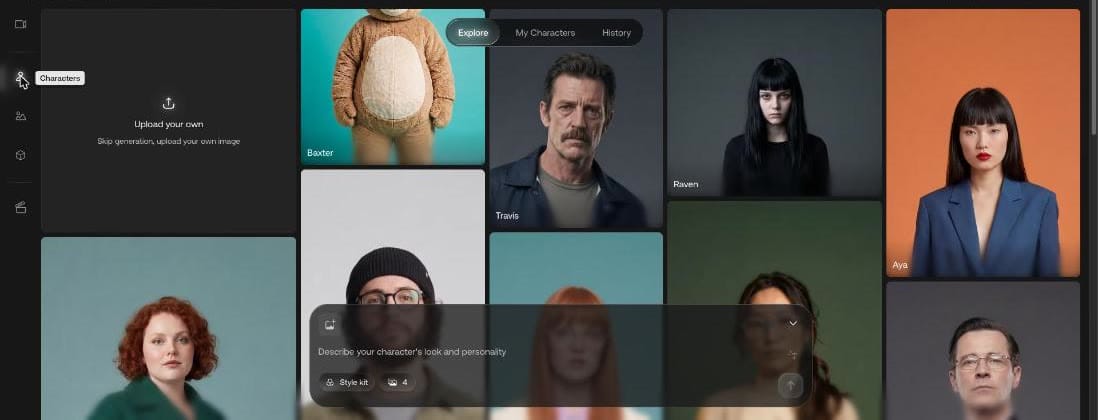
Characters in Studio's side rail opens a gallery with three tabs, Explore, My Characters and History, plus an Upload your own tile that says "Skip generation, upload your own image". The prompt box at the bottom reads "Describe your character's look and personality".
Can you edit the film inside Studio?
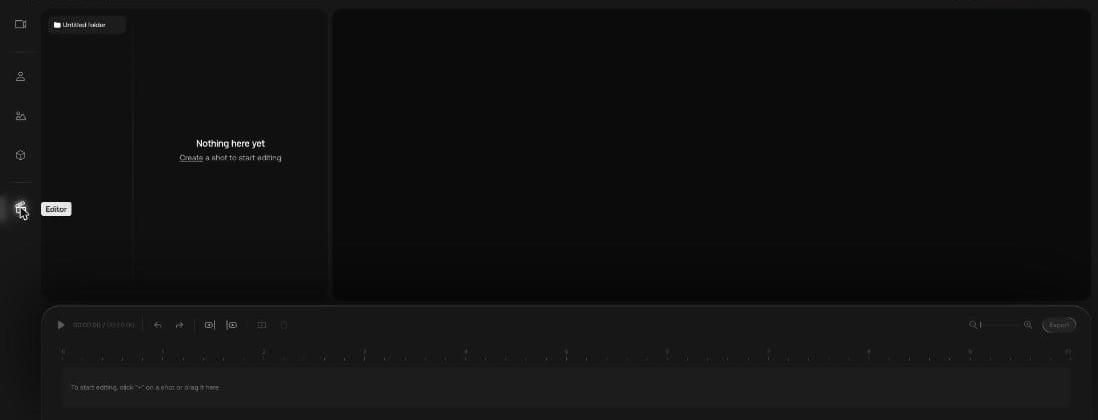
There's an Editor at the bottom of the same side rail, with a preview, a timeline and an Export button. It opened empty for us with "Nothing here yet" and the hint "To start editing, click "+" on a shot or drag it here".
What does one shot cost, start to finish?
We made a project of our own, "Guide tests Studio", and took one shot from an empty frame to an exported file for 300 credits.
1. Framing. A new shot opened on Nano Banana 2 at 2K with Unlimited On. We switched to Nano Banana 2 Lite, the only size it offered was 1K, and turned Unlimited off. The tooltip that appeared read: "Generations now use credits and process fast. Switch on Unlimited to create credit-free at standard speed." The send button then showed 50 credits.
A white paper boat on a still pond at sunrise, low angle close to the water, mist over the far shore
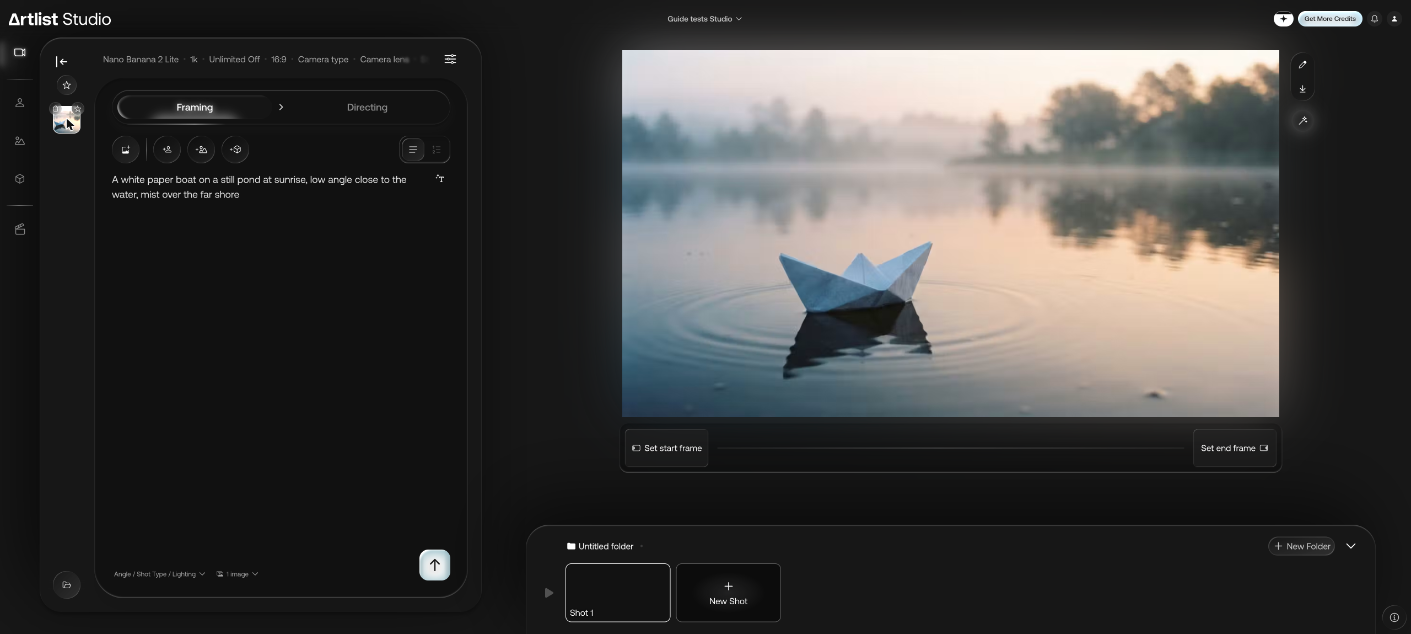
2. Directing. We pressed Set start frame and moved to Directing. It opened on Seedance 2.5 at 480p, which cost us 1,000 credits for 5 seconds in the Video tool. We picked Seedance 2.0 Mini instead, and Unlimited switched itself back on. We turned it off again before writing the action:
The paper boat drifts slowly to the right as soft ripples spread from its bow, the camera pushes in gently
With 5 seconds, Auto Voice and 1 video left as they were, the send button read 250 credits.
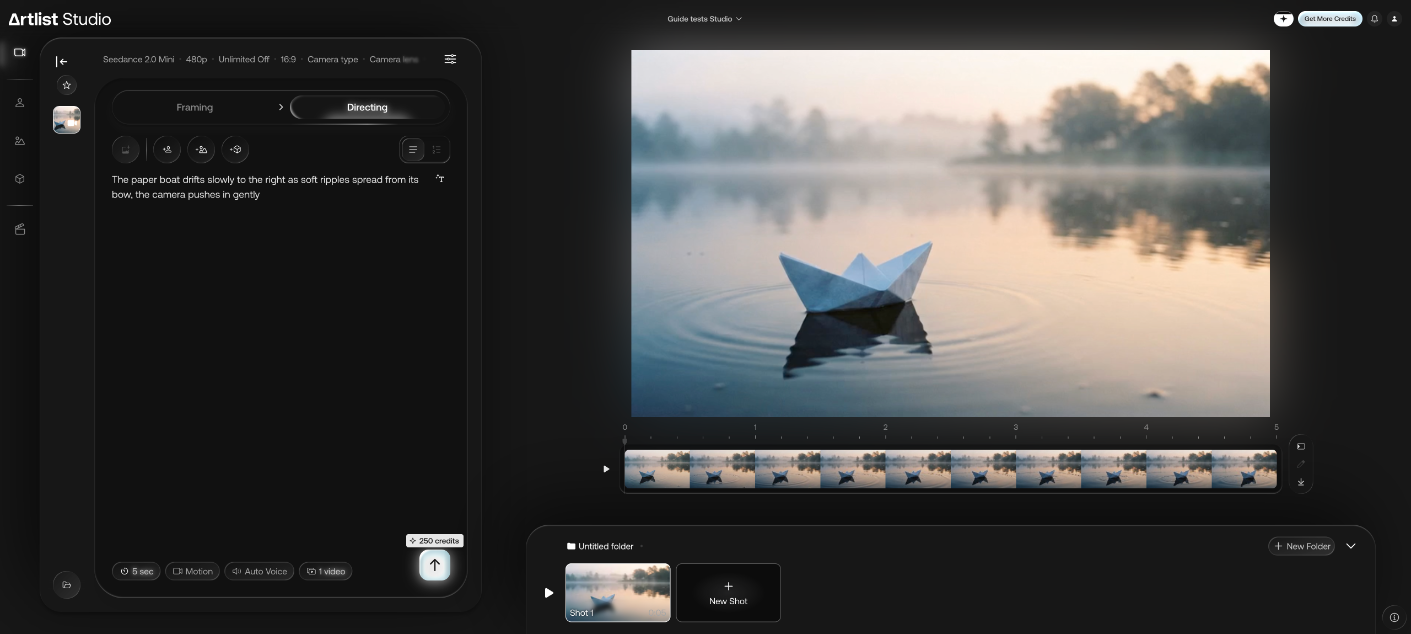
3. Editor. In the Editor, a "+" on the shot's thumbnail put it on the timeline. Export started straight away, with no settings to choose, and saved "Guide tests Studio_2026-11-08.mp4" to our computer: 864 x 496, 5.1 seconds, 30 fps, with a near-silent audio track.
The boat drifts right as asked.
How is Studio different from Flows?
Studio organizes one production by shots and characters. To compare models or reuse a chain of steps on a node canvas, see Artlist Flows.
If you plan to cut a whole film here, an Artlist discount code gives 2 free months on annual plans. Also shopping for music? Here is the Epidemic Sound discount code.