Artlist Style Kits and References: One Prompt, Before and After (2026)
Last verified: 2026-11-08
We added one sentence and three colors to a style kit in how Artlist works, ran the same teapot prompt on the same 30-credit model, and got a different picture. References do a related job for one recurring subject.
What does a style kit change?
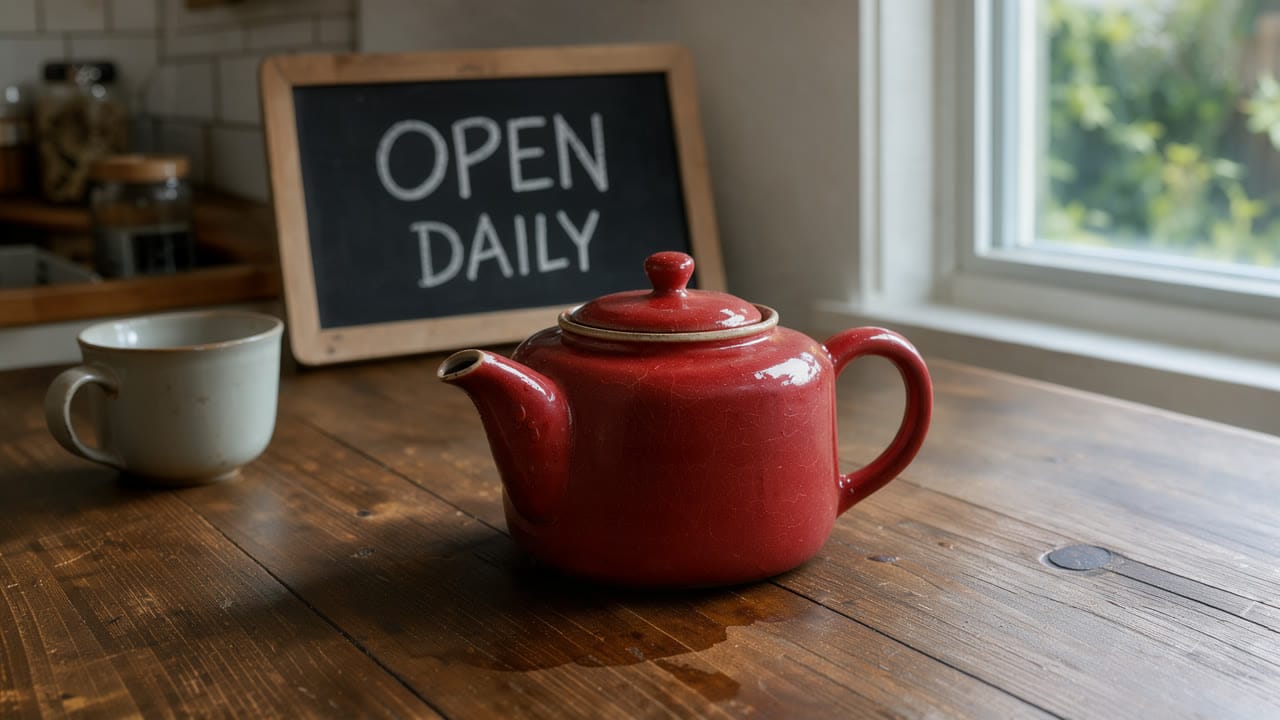
A red ceramic teapot on a wooden kitchen table beside a window, soft morning light. A small chalkboard behind it reads OPEN DAILY
No kit, Flux 3 Klein, 30 credits
With our kit, Flux 3 Klein, 30 credits
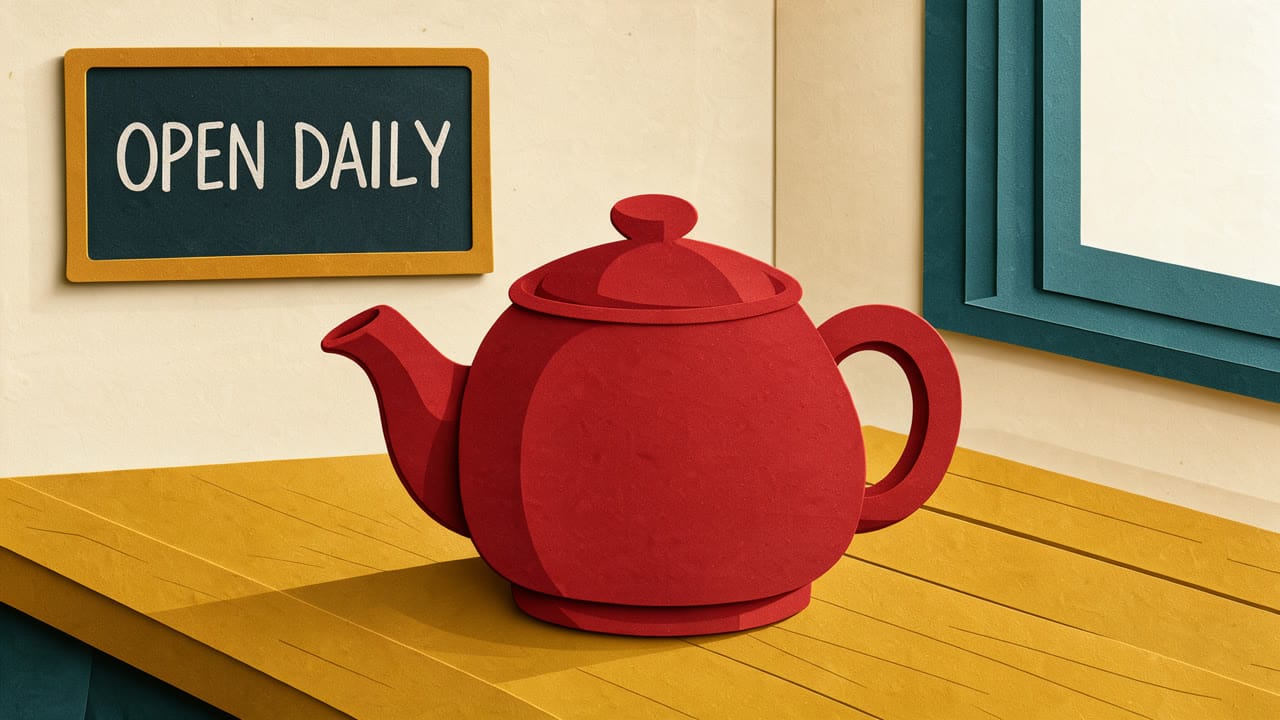
The kit held this guideline:
Flat paper-cut illustration, thick clean outlines, no photographic detail
And a palette of mustard #E3A72F, teal #1F6F78 and cream #F4EDE1. Attaching it left the price at 30 credits. The table, window and walls took on those colors, while the teapot stayed red as the prompt asked.
Which part of a kit does the work?
We ran the same prompt twice more on Flux 3 Klein, 30 credits each, with only one part of the kit applied each time.
Palette only
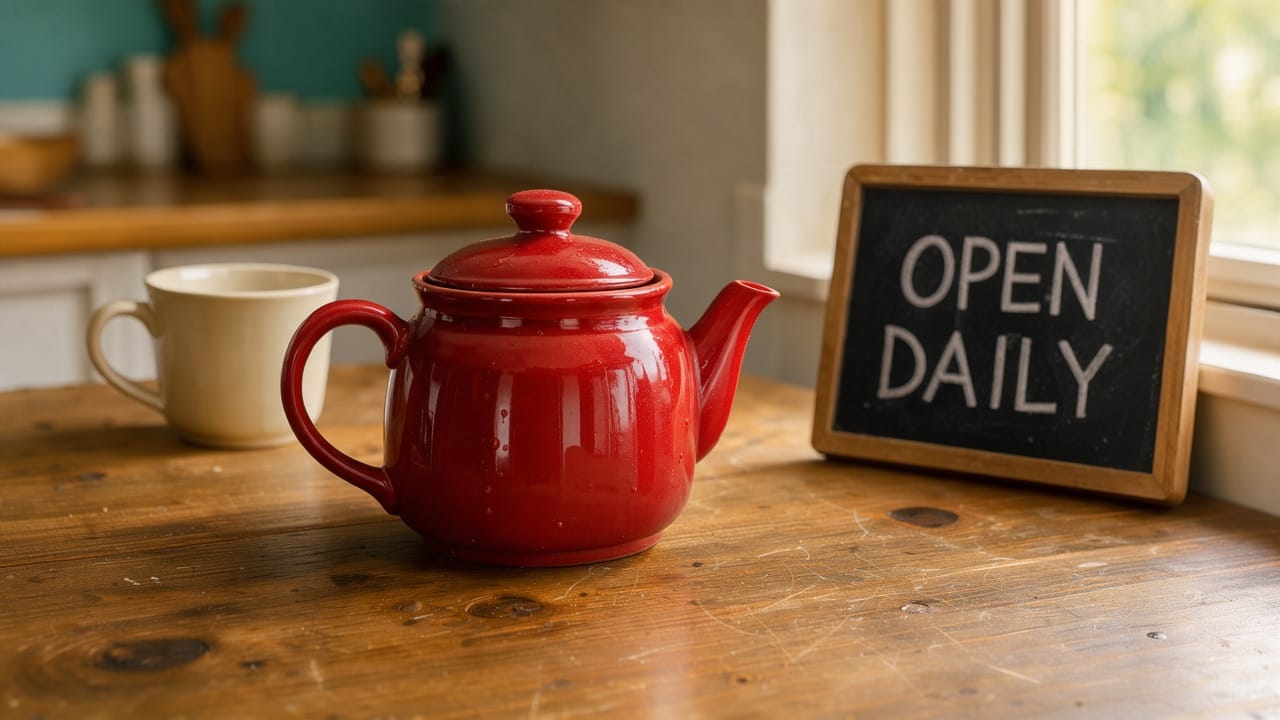
Still a photograph. The colors moved: a teal wall behind the counter, a cream mug, warm mustard light on the wood.
Style guideline only
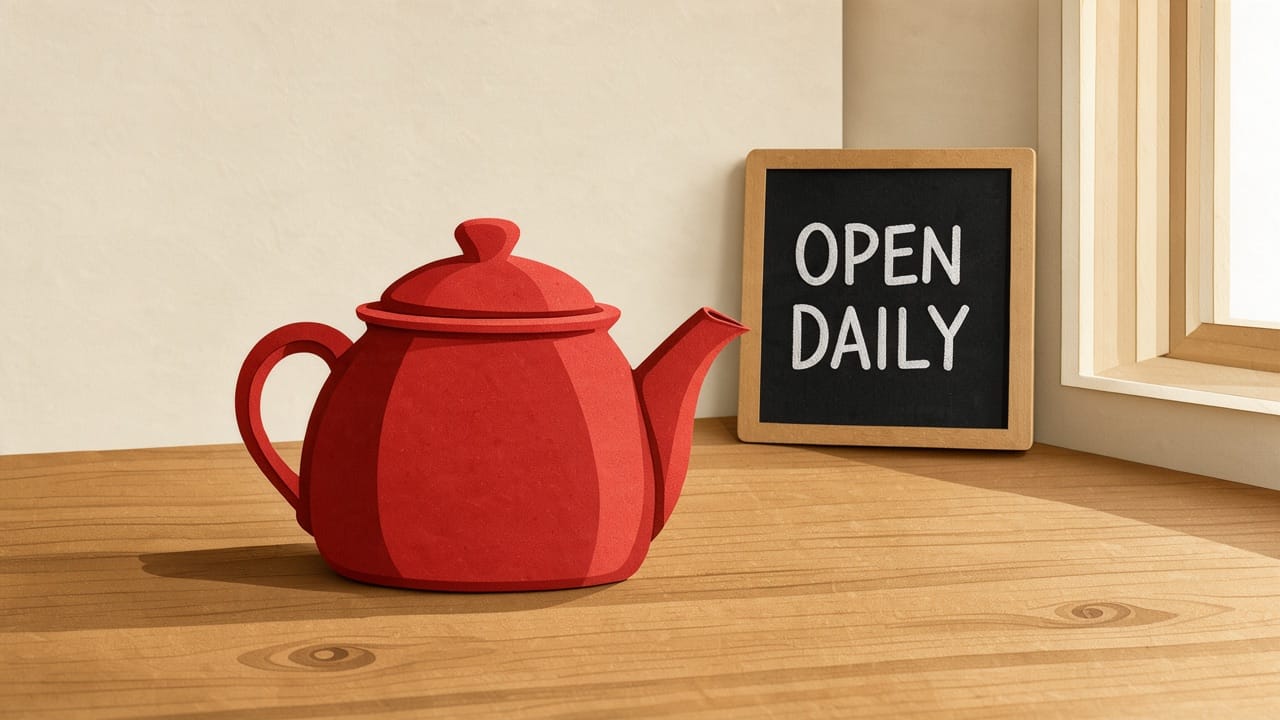
The written line alone turned it into a paper-cut illustration, with layered red paper for the teapot and a plain cream wall. It didn't draw the thick outlines the line asked for.
In this test the guideline set the look and the palette steered the colors.
How do you create a style kit?
In the Artlist AI image generator, open Style kit beside the model and pick New Style Kit. That created the kit at once, as "Style kit 1". Artlist Studio has the same menu in its shot settings.
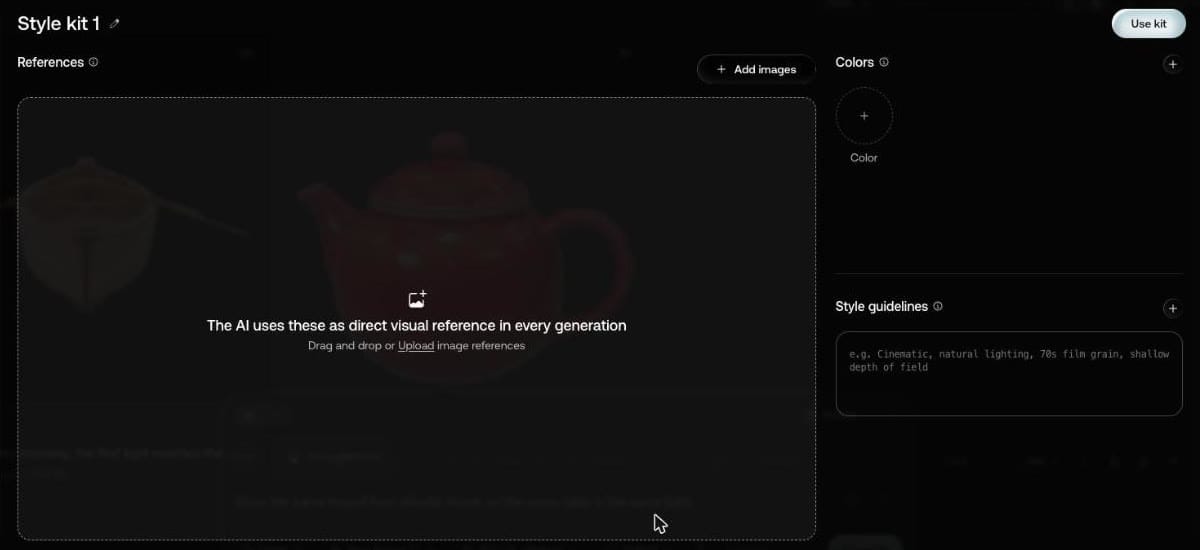
Each part has a tooltip saying what it does:
| Part | Tooltip |
|---|---|
| References | "The AI uses these as direct visual reference in every generation." |
| Colors | "The AI includes these in the palette." |
| Style guidelines | "Describe your style in your own words, the AI uses this text directly in the prompt." |
Press Use kit to attach it.
What are Artlist References?
Saved subjects: a character, location or prop. With none saved, the References page in the left menu says "Create a reference to use across your generations".
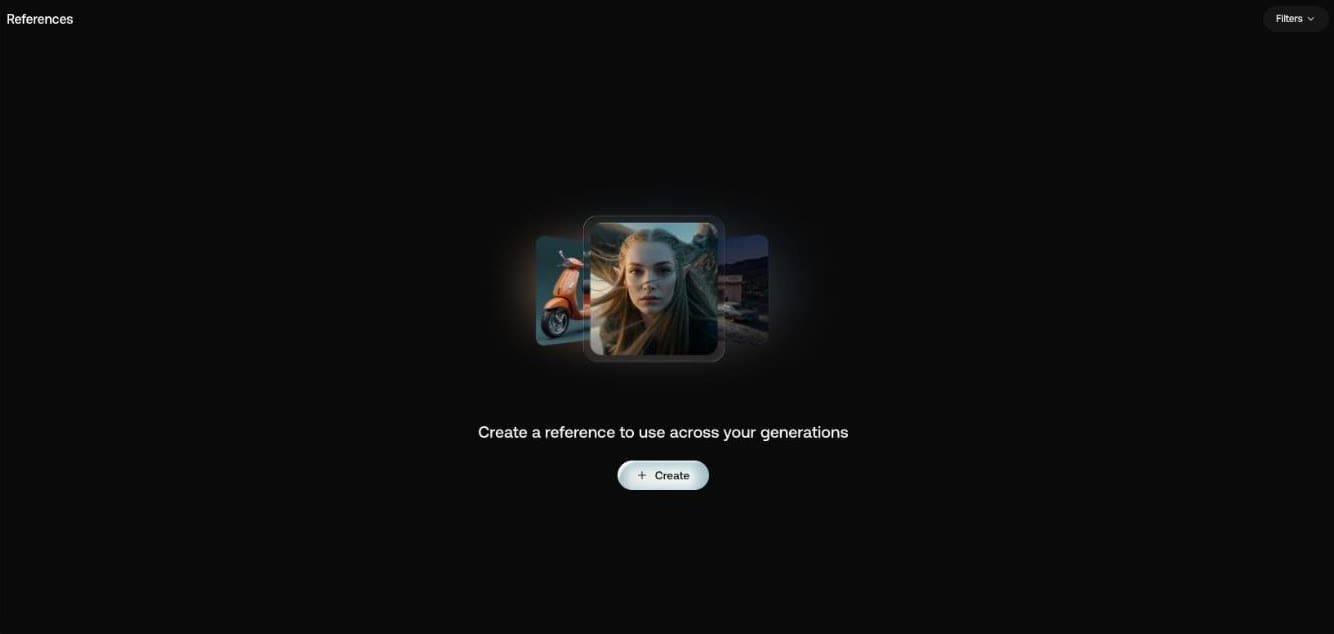
How do you create a reference?
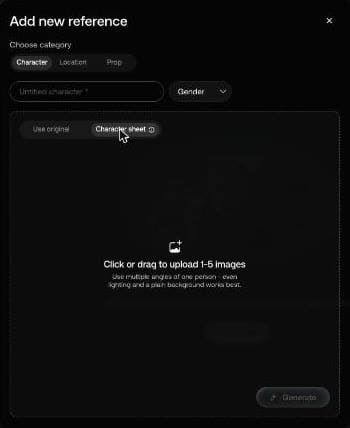
Create opens Add new reference. Choose Character, Location or Prop, name it, and upload up to 30 images, with "The first image is set as default." A character also has a Gender menu.
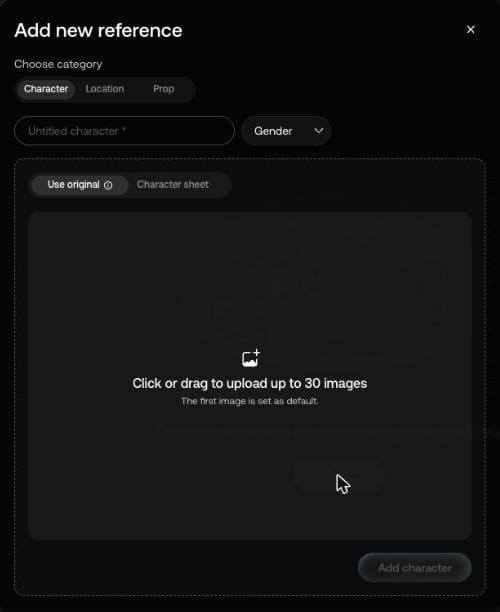
Characters get two routes. Use original "Uses your images exactly as they are." Character sheet takes 1 to 5 images and has a Generate button instead, with this advice: "Use multiple angles of one person - even lighting and a plain background works best."
A finished image's Use menu also has Save as Reference.
If a consistent look is why you're signing up, our Artlist promo code gives 2 free months on annual plans. Need only music? Here is the Epidemic Sound coupon code.