Artlist Premiere Pro Plugin: Version, Install Steps and Credits (2026)
Last verified: 2026-11-07
Artlist's AI plugin brings the generators from how Artlist works into a panel inside Premiere Pro, so an image, clip or voiceover can go from prompt to timeline in one place. It needs Premiere Pro 2026 and runs on your Artlist credits.
What can the plugin do?
Artlist's Plugins page lists five features:
| Feature | Artlist's line |
|---|---|
| Generate | "Generate images, videos, music, and voiceovers inside your editor." |
| Reframe | "Change aspect ratio for any platform without re-exporting." |
| Avatar | "Generate realistic talking avatars." |
| Upscale | "Boost generations for sharper, broadcast-quality output." |
| Edit | "Change, remove, or add backgrounds." |
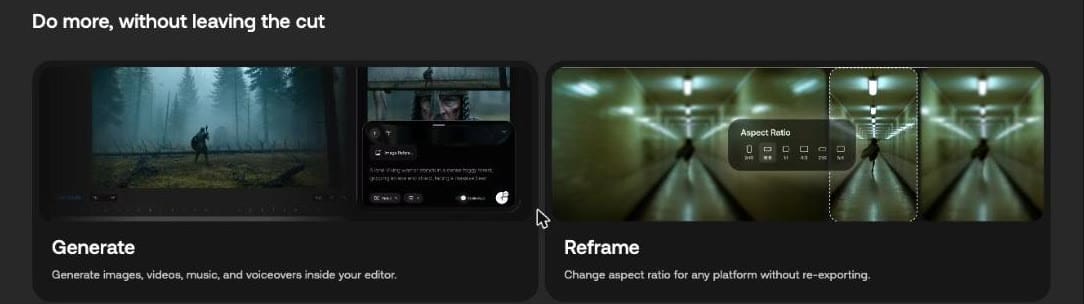
Its FAQ adds lipsync and translate to that list. The same page has tabs for After Effects and Photoshop. To see what the web versions of these tools produce, try our tests of Artlist upscaling, lip sync and avatars.
How do you install it?

- Download the "Artlist AI Toolkit" installer from the Plugins page.
- Run it. "The plugin installs directly into Premiere Pro."
- Open Premiere Pro. The panel appears under Window > UXP Plugins. If you don't see it there, look in Window > UXP Plugins > Extensions.
The same article says the plugin doesn't need the Adobe Marketplace. This is a separate download from the Artlist Hub and extensions.
Which Premiere Pro version do you need?
The Plugins page FAQ says: "The plugin requires Premiere Pro 2026 (v26.0) or later and runs on Windows and macOS."
How do you sign in?
Click Sign in in the panel. A browser page opens, you log in there, including with Google, Facebook or SSO, then return to Premiere Pro and the panel refreshes.
Do you need a paid plan?
The Plugins page FAQ says "you only need a free Artlist account" and that it comes with "a set of free generations to get started". The help article lists an AI plan as a requirement. On rights, the Plugins page says "Commercial use is included on paid plans".
Does it use your credits?
Yes. "The plugin runs on the same credits as your Artlist account." Results go to My Library and, according to the page, sync across web and plugin. A My Library tab in the panel lets you search your earlier work, filter by media type and bring items into the timeline.
When you do buy, an Artlist promo code gives 2 free months on annual plans. If you're choosing between music libraries for your edit, here is the Epidemic Sound coupon code.